

On this page
A CS2 skin trading bot is an automated Steam account that a trading site uses to hold its stock and send you trade offers, so a swap is finished as soon as you accept the offer in Steam. This guide shows how a bot trade works step by step, how bot sites price a trade compared with P2P marketplaces, and which bot site fits which job. It compares eight bot-style sites by type, games, published fee, cash-out and trade hold. Facts about SkinsMonkey come from its terms of service, read on November 5, 2026. Facts about the other sites come from their own pages, with the read dates in the section on how we checked.
We run SkinsMonkey, one of the bot sites in the table. For that reason the comparison only uses facts that each operator publishes about itself, and it gives no ratings.
Who wrote this: this guide is published by the SkinsMonkey blog. Facts about other sites come from their own fee pages, terms, FAQ or blog, read on October 24, October 27 and November 3, 2026.
How a CS2 Skin Trading Bot Trade Works, Step by Step
Every bot site uses the same Steam mechanics. The site shows two inventories, yours and the bots’, with a value on every item. You choose what to give and what to take, and a bot sends you a Steam trade offer with exactly those items. Nothing moves until you accept that offer in Steam.
- Log in through Steam. The site opens Steam’s own login page (OpenID). You type your password on steamcommunity.com and never on the trading site.
- Add your Steam trade URL. The bot needs it to send you an offer. You find it in your Steam inventory under Trade Offers, in the section “Who can send me Trade Offers?”.
- Pick both sides of the trade. Your skins go on one side and items from the bot stock on the other. On SkinsMonkey the value shown for each item already includes the fee.
- Receive the trade offer. A bot account sends the offer to your Steam account. It lists every item you give and every item you get.
- Check and confirm it in Steam. Open the offer, compare each item and wear with what you picked on the site, then confirm in the Steam Mobile Authenticator.
- Get the items. The trade is complete when Steam shows it as accepted, and the new items are in your inventory under Trade Protection.
Trade Protection is a Valve rule that started on July 15, 2025, and it applies on every site. CS2 items you receive in a trade are protected for 7 days, and the trade can be reversed during those 7 days. After a reversal there is a 30-day cooldown. This is why every cash service pays after the 7-day window, whether it runs bots or a marketplace.
Two more Steam rules apply before your first swap. Steam requires an account to have spent $5 before it can trade, and a new Steam Guard authenticator delays trades. If bots are new to you, our beginner explainer on bot trading covers the basics in more detail.
How Bot Sites Price a Trade, Compared with P2P Marketplaces
A bot site is the other side of your trade. It takes your skin and gives you its own at the values it shows, and its fee is part of those values. SkinsMonkey charges a 10% fee, and it is already included in the item value quoted on the platform. You see one number per item, and that number is what you get or pay.
A P2P marketplace works the other way round. You set a price, wait for another player to buy, and pay a seller fee that the marketplace prints as a percentage. CSFloat charges 2% on a sale, plus a withdrawal fee of 2.5% that falls to 0.5% as your sales volume grows. Skinport charges 8%, or 6% on items above 1,000 euros. The Steam Community Market adds 15% on top of the seller price, and that money stays in your Steam Wallet. On CSFloat the seller is settled around 8 days after the buyer accepts the offer.
A common claim is that bot sites charge more than P2P, with a spread of 5 to 14%, and give you no way to cash out. The pages the sites publish show a more mixed picture:
- There is no single bot spread. Most bot sites do not publish a figure, and the ones that do print different numbers. iTrade.gg says “as low as 4%”, DMarket lists 1 to 7% on sales to its bots, CS.MONEY lists 7% in Trade mode plus a trade lock markup of 0 to 13%, and Swap.gg lists 8% plus 0 to 20% by item liquidity.
- A P2P fee is not the full cost. CSFloat adds a withdrawal fee to its 2% seller fee. You also wait for a buyer before anything is paid.
- Cash-out depends on the site. Some bot sites pay out money and some pay only in site balance. SkinsMonkey sends cash through its sister service SkinCashier.
The fair test is the offer for your own item. Load the same skin on two bot sites and check what one marketplace asks for it on the same day. The difference between those numbers is what speed costs you for that item. Our guide to bot trading vs P2P marketplaces explains the two models in more detail, and the best CS2 trading bots with low fees puts published commissions and deposit bonuses side by side.
CS2 Trading Bot Sites Compared, November 2026
The eight sites below trade CS2 skins through bots or buy them with instant bot quotes. Every cell comes from the operator’s own pages, and where a site prints no number the table says so.
| Site | Type | Best for | Published fee | Cash-out |
|---|---|---|---|---|
| SkinsMonkey | Bot trading | CS2 swaps with a deposit bonus | 10% | Yes, through sister service SkinCashier |
| Tradeit.gg | Trading bots, instant sell | Swaps across CS2, Rust and TF2 | Not published, 3% lower with “tradeit.gg” in your Steam name | Advertised (“instant cash”), terms behind login |
| CS.MONEY | Trade bots, P2P Market, instant sell | Swaps plus a market on the same site | Trade mode 7% plus markups (trade lock 0 to 13%). Market 5%, or 3% above $1,000 | Market balance only, to a Visa card, $10 minimum |
| Swap.gg | Instant Trade bots, P2P Market, instant sell | Published fees across three games | 8% plus 0 to 20% by item liquidity (blog, Sep 14, 2026) | Yes, market payouts, and instant sell in BTC, ETH or USDT |
| Skinflow.gg | Instant sell with bot quotes, buy and trade | Instant sell paid to a bank account | Not published, crypto through Triple-A adds 2% | Yes: PayPal, crypto, SEPA, ACH, SWIFT, Payoneer |
| SkinSwap.com | Bots, instant buy and sell | Instant sell paid in crypto or PayPal | Not published | Yes: Bitcoin, Litecoin, Ethereum, PayPal |
| iTrade.gg | Own CS2 trade bots | Skin-for-skin swaps only | “As low as 4%”, included in the quoted price | No, site balance only |
| DMarket | Marketplace, sales to bots, Face2Face | Four games on one account | Up to 10% (terms), bots 1 to 7%, Face2Face 5% (blog) | Yes: card, bank, SEPA, Payoneer, Skrill, PayPal, $5 minimum |
| Site | Games | Trade hold and payout timing |
|---|---|---|
| SkinsMonkey | Built around CS2 | Valve’s 7-day Trade Protection on items you receive |
| Tradeit.gg | CS2, TF2, Rust | Not published, Valve’s 7-day Trade Protection applies |
| CS.MONEY | CS2 | 7-day trade lock in Trade mode, Market funds after an 8-day hold |
| Swap.gg | CS2, Rust, TF2 | Market payouts 7 days after the item transfer |
| Skinflow.gg | CS2, Rust, TF2 | Payouts after Trade Protection ends |
| SkinSwap.com | CS2, Rust | Items stay in the Backpack for 7 days |
| iTrade.gg | CS2, Rust, TF2 | Not published, Valve’s 7-day Trade Protection applies |
| DMarket | CS2, Dota 2, Rust, TF2 | SEPA up to 7 business days, Payoneer, Skrill and PayPal up to 48 hours |
| Site | Items in stock | Trades and support | Deposit bonus |
|---|---|---|---|
| SkinsMonkey | Over 140,000 items | Over 16 million trades, 24/7 live chat | 30% deposit bonus, or 35% with a creator’s code. Code MONKEY: 5% of a trade back, up to $5, once |
| Tradeit.gg | Not published | Not published | $5 on the first trade |
| CS.MONEY | Not published | Not published | No deposit bonus on the pages we read |
| Swap.gg | Not published | Not published | No deposit bonus on the pages we read |
| Skinflow.gg | Not published | Not published | No deposit bonus on the pages we read |
| SkinSwap.com | Not published | Not published | “40% deposit bonus” |
| iTrade.gg | Not published | Not published | Daily rewards “up to $1.80 monthly” |
| DMarket | Not published | Not published | No deposit bonus on the pages we read |
Read the “Published fee” column with care. On every bot site the cost is inside the item values. A printed percentage tells you how a site builds its price, and the offer for your item tells you what you actually pay.
Which CS2 Trading Bot to Use for Each Job
- CS2 swaps with a deposit bonus: SkinsMonkey. A 30% deposit bonus, or 35% with a creator’s code, and no SkinsMonkey fee on deposits.
- A big bot stock and help at any hour: SkinsMonkey. Over 140,000 items to pick from, over 16 million trades done and a 24/7 live chat when a trade gets stuck.
- Swaps and a P2P market in one account: CS.MONEY. Trade mode covers bot swaps, and money from Market sales can be withdrawn to a Visa card after an 8-day hold.
- Rust and TF2 as well as CS2: Tradeit.gg, Swap.gg or iTrade.gg. All three list the same three games. Swap.gg published its fee structure in September 2026.
- Instant sell for crypto or PayPal: SkinSwap.com, which advertises payouts “within 60 seconds”, or the Swap.gg instant sell in BTC, ETH or USDT.
- Instant sell to a bank account: Skinflow.gg, with SEPA, ACH and SWIFT payouts after Trade Protection.
- Dota 2 in the same place: DMarket, which combines sales to bots with a marketplace and Face2Face trades across four games.
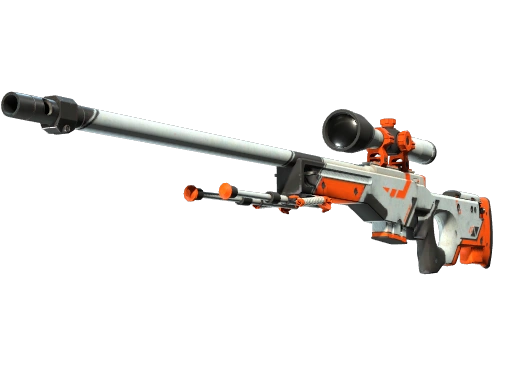
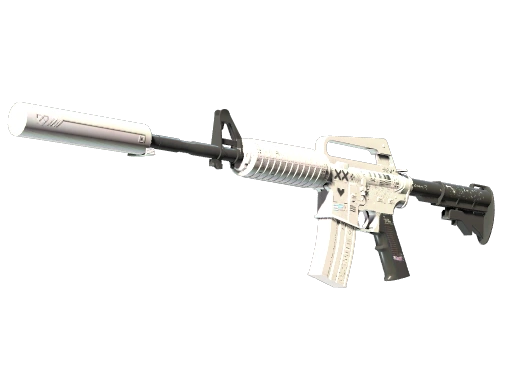
One habit works on every CS2 skin trading bot. Before a large trade, check the offer for your item on two sites and take the better one, which takes about two minutes. The three skins below have a SkinsMonkey price for every wear, so you can compare a bot offer with them.
Three CS2 skins to price before your first bot trade

Getting Cash After a Bot Trade
SkinsMonkey has no cash withdrawal. The trading balance cannot be exchanged for currency or crypto. For money, SkinsMonkey points you to its sister service SkinCashier, which buys CS2, Dota 2, TF2 and Rust skins and shows the price before the trade.
SkinCashier publishes its payout fees: PayPal 2% (minimum $1), Bitcoin $2, Ethereum $0.50 and Litecoin $0.10. Payout methods include Bitcoin, Ethereum, Litecoin, PayPal, Payeer and advcash, and there is no bank transfer. CS2 payouts come after the 7-day Trade Protection ends, because Valve can reverse a trade until then.
Other bot sites handle cash in different ways, and the cash-out column in the table above shows the route for each one. Our walkthrough of how SkinsMonkey works shows the SkinsMonkey and SkinCashier route step by step.
How We Checked
We read the fee page, terms, FAQ or blog of every other site in the table on October 24, October 27 and November 3, 2026, and SkinsMonkey’s terms of service on November 5, 2026. For each site we wrote down five things: the type of site, the games it lists, the published fee, the cash-out route and any hold on items or payouts. Where a page gave no figure, the table says “not published”.
We did not quote star ratings or review scores, because they change every week and cannot be checked on one page. We also do not link to other trading sites. Type the address yourself when you check one.
Fees and payout terms change. Swap.gg, for example, published its current fee structure on September 14, 2026. If a number matters for your trade, check the operator’s own page on the day you trade.
Safety Checklist: Fake Bots, API Key Scams and the Steam Offer
A bot takes the stranger out of the trade, and scammers try to put one back in. These checks take a minute and work on every site.
- Log in only through Steam’s own login page. The address bar must show steamcommunity.com. A page that asks for your Steam password on its own form is a phishing page.
- Never share your Steam Web API key. A trading site does not need it to trade with you. With a stolen key, a scammer can see your trade offers, cancel a real one and send a copy from a fake bot. Open steamcommunity.com/dev/apikey and revoke any key you did not create.
- Spot the fake bot. A fake bot copies the name and avatar of a real one. Compare the offer with the trade details the site shows and decline if anything differs. Real bots do not write to you on Discord or Telegram.
- Verify the offer in Steam. The Steam trade offer is the trade. Check every item, wear and StatTrak tag on both sides before you confirm in the Steam Mobile Authenticator. If the offer takes more than you picked or gives less, decline it.
- Ignore middlemen. No real site asks you to send skins to a separate “verification” or “safety” account.
- Start with a cheap skin. A $2 trade shows how the site, its bots and its support behave before you move anything valuable.
For more scam patterns, see our guide to avoiding CS2 scams.
Trading on SkinsMonkey
SkinsMonkey is a trading platform rather than a marketplace, built around CS2. You log in through Steam, pick from over 140,000 items, and every swap is a Steam trade offer from one of our bots. Over 16 million trades have gone through the site, and the 24/7 live chat helps when a trade gets stuck.
Deposits by Visa, Mastercard, PayPal, Skrill, crypto and other methods have no SkinsMonkey fee, though the payment provider may charge one. They come with a 30% deposit bonus, or 35% with a creator’s code. New users can enter the code MONKEY once before a trade to get 5% of the trade value back, up to $5. Payments may be held for a KYC check, and payments over $1,000 in a short time are subject to one. For cash, use SkinCashier.
Bottom line
Pick the bot by what you want after the trade, then check the offer for your item on two sites.
For CS2 swaps, a bot site finishes the trade when you accept the Steam offer. SkinsMonkey, Tradeit.gg and CS.MONEY all work this way. Every bot puts its fee inside the item values, so compare the offer for your own item on two of them.
For money, check the cash route before you trade. SkinsMonkey sends cash through SkinCashier, CS.MONEY pays out only its Market balance, and cash services pay after Trade Protection ends.
FAQ
Which CS2 skin trading bot should I use?
Use the one that matches what you want after the trade. For CS2 swaps with a deposit bonus, SkinsMonkey. For swaps plus a market on the same site, CS.MONEY. For Rust and TF2 as well, Tradeit.gg, Swap.gg or iTrade.gg. For instant cash, SkinSwap.com, Skinflow.gg or SkinCashier. Before a big trade, check the offer for your item on two sites.
Is SkinsMonkey legit?
SkinsMonkey is a bot trading site run by Virtual Asset Empire Limited, a company registered in the European Union. You log in through Steam's own login page, so the site never sees your password, and every trade is a Steam trade offer you check before you confirm. Over 16 million trades have gone through the site, and a 24/7 live chat helps with stuck trades. We do not rate other sites, and the same checks work everywhere: log in only through Steam and start with a cheap trade.
Do trading bots charge more than P2P marketplaces?
Not as a fixed rule. Bot sites put the fee inside the item value, and the published bot figures go from "as low as 4%" on iTrade.gg to 8% plus 0 to 20% by liquidity on Swap.gg. P2P sites print a seller fee, such as 2% on CSFloat or 8% on Skinport, and you wait for a buyer. Compare the offer for your own item.
Can you cash out from a CS2 trading bot site?
On some sites, yes. CS.MONEY pays out its Market balance, and Swap.gg, SkinSwap.com and Skinflow.gg list payout methods. iTrade.gg has no cash withdrawal. SkinsMonkey has no withdrawal on the site itself and sends cash through its sister service SkinCashier, which pays to PayPal or crypto after the 7-day Trade Protection.
How do I spot a fake trade bot?
Compare the Steam trade offer with the trade on the site before you confirm it. A fake bot copies the name and avatar of a real bot, and a stolen Steam API key lets a scammer cancel the real offer and send the fake one. Revoke unknown keys at steamcommunity.com/dev/apikey and decline any offer that differs from what you picked.
Can a bot trade be reversed in CS2?
Yes, within 7 days. Since July 15, 2025 Valve protects CS2 items received in a trade for 7 days, and the trade can be reversed during that time. A reversal starts a 30-day cooldown. This is Valve's rule and applies on every bot site and marketplace.
Was this article helpful?One tap. It tells us what to update first.
Thanks, noted. Alex reads these before every update.