

On this page
The top platforms to trade CS2 skins in 2026 fall into five types: trade bots, P2P marketplaces, hybrids, instant-sell services and Valve’s own Steam Community Market. Which one fits comes down to what you are optimizing for: instant bot-trading platforms like SkinsMonkey are our pick for fast, low-friction swaps, while peer-to-peer marketplaces suit traders willing to wait for a better price on higher-value items. With Steam’s Community Market keeping funds as Steam Wallet credit and adding fees to every sale, third-party platforms are the usual alternative for trading CS2 skins more flexibly. Below: what one $100 skin costs on each type, how to stay safe on any of them, and how to check a platform before you trust it with an expensive item. Fees checked on October 27, 2026.
Who wrote this: this guide is published by the SkinsMonkey blog. Facts about other platforms come from their own fee pages, terms, FAQ or blog.
Key Takeaways
- SkinsMonkey is built for instant, automated swaps: a strong fit if your goal is quickly upgrading or consolidating an inventory rather than listing items and waiting.
- Marketplaces such as CSFloat and Skinport charge a visible percentage of the sale price and let you withdraw cash. SkinsMonkey puts its fee inside the quoted item values, so the way to see it is to compare the quotes with market prices.
- The top platforms differ most in two things: how they charge (a percentage on marketplaces, the quoted item values on bot sites) and when cash arrives (about a week after the trade on every cash payout, because of Valve’s Trade Protection).
- Any speed benchmark or acceptance rate attached to a trading platform should be verified directly rather than trusted at face value.
Why Trade on Third-Party Platforms Instead of Steam?
The Steam Community Market is Valve’s own market, and it has two drawbacks for active traders: funds stay locked as Steam Wallet credit, and Steam adds about 15% in fees on top of the seller’s price, so a seller keeps about $87 when a buyer pays $100. A single listing is also capped at about $1,800, so the most expensive knives and gloves cannot be sold there at all. Third-party platforms solve this differently depending on their type:
- Direct item-for-item trading. Move straight between skins instead of cashing out first, useful for upgrading an inventory or consolidating smaller items into one you will actually use.
- Deposit bonuses and promotions. Some platforms, including SkinsMonkey with its 30% deposit bonus (35% with a creator’s code, up to 45% during promotional events such as Halloween 2026), add trading credit when you top up your balance, which can help offset the pricing spread. Marketplaces generally do not publish deposit bonuses. For example, a $100 deposit becomes $130 of balance, $135 with a creator’s code, or up to $145 during an event. What that balance is worth depends on the site’s item prices, so compare the price of the skin you want with its market price before you spend it. We compare the bonuses and promotions on CS2 trading sites site by site.
- No waiting on a buyer. Bot platforms complete a trade as soon as you accept the Steam trade offer, without the back-and-forth of a manual listing.
- Cash. Marketplaces and instant-sell services pay out real money, which the Steam Market never does.
Top Platforms to Trade CS2 Skins, Compared by Type
| Platform type | Examples | Best for | How the fee works | Cash withdrawal |
|---|---|---|---|---|
| Trade bots | SkinsMonkey, Tradeit.gg | Inventory upgrades and instant swaps | SkinsMonkey: inside the quoted item values. Tradeit.gg: not published as a percentage | Not on SkinsMonkey (cash through SkinCashier); rules differ by site |
| P2P marketplace | CSFloat, Skinport | Cash sales of high-tier items, rare floats and patterns | A percentage of the sale price: 2% on CSFloat, 8% on Skinport (6% on items over €1,000) | Yes |
| Hybrid (bots plus market) | DMarket, CS.MONEY, Swap.gg | Choosing between swap, sell and list in one account | Different in each mode; published rates range from 3% (CS.MONEY market sales) to 8% plus 0 to 20% (Swap.gg) | From sales income; rules differ by site |
| Instant sell | SkinCashier | Cash without a listing | Inside the offer; the amount you receive is shown before you confirm | Yes: PayPal and crypto |
| Steam Community Market | Steam | Staying inside Steam | 5% Steam fee plus 10% CS2 fee, added to the seller’s price | No, Steam Wallet only |
Sources: each operator’s fee page, terms, FAQ or blog, read in October 2026. Site-by-site details are in our list of recommended skin trading websites.
What One $100 Skin Costs on Each Type
The same item, sold or swapped on each kind of platform, assuming it sells for $100 everywhere:
| Route | What you end up with | When |
|---|---|---|
| Steam Community Market | About $87 in Steam Wallet funds | When it sells; the money cannot leave Steam |
| CSFloat listing | $98 after the 2% seller fee, then $95.55 to $97.51 after the 0.5 to 2.5% withdrawal fee | Credited about 8 days after the trade, then you withdraw |
| Skinport listing | $92 after the 8% seller fee | After the 7-day Trade Protection, then you withdraw |
| Instant sell (SkinCashier) | The amount in the offer, shown before you confirm | After Valve’s 7-day Trade Protection ends |
| Bot swap (SkinsMonkey) | A different skin at the quoted value, no cash | As soon as you accept the Steam trade offer |
On a bot swap, the cost is how far the two quotes sit from market prices: compare what the site offers for your skin and what it asks for the one you take with their market prices. On a $5 swap the difference is small in dollar terms and the speed is worth it. On a knife or gloves worth several hundred dollars, the comparison takes two minutes and is worth doing.
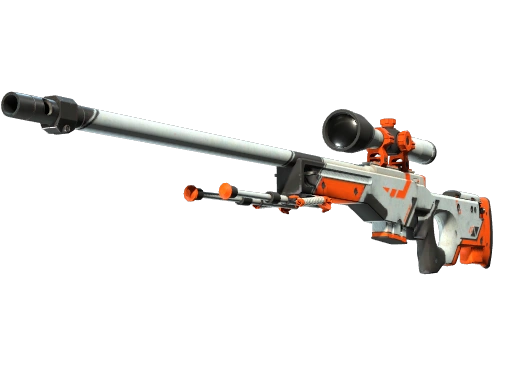
That comparison is also how bot sites differ from each other. In a February 2025 YouTube test, the same AWP | Elite Build (Factory New) was swapped for an AK-47 | Redline (Field-Tested) on five sites and through the Steam Market: SkinsMonkey gave 1.17 Redlines per AWP, the Steam Market 1.08, Tradeit.gg 0.99 and CS.MONEY 0.95. The full results are in our list of recommended skin trading websites.
Trade Protection: Why Every Cash Payout Waits a Week
Since July 15, 2025, Valve’s Trade Protection lets the sender of a traded CS2 item reverse the trade within 7 days. Every service that pays cash for CS2 skins waits for that window to close: CSFloat credits sellers about 8 days after the trade, and SkinCashier pays once the 7 days are over. A payout about a week after the trade is Valve’s rule at work, not a sign that someone is holding your money. Trade Protection only lets the sender reverse a trade within 7 days; it does not vouch for any trading site, so the checks below still apply.
How to Stay Safe on Any Trading Platform
Most stolen CS2 inventories are lost through the account, not through the trading site. Three habits cover the common scams:
- Never share your Steam API key. A trading site does not need it to trade with you. Scammers use a stolen key to cancel a real trade offer and replace it with a fake one that looks the same. If you ever pasted your key on a site, revoke it in your Steam account.
- Sign in only on steamcommunity.com. A fake Steam login window drawn inside a page steals the account. Check the real address bar before you type anything, and keep the Steam Guard Mobile Authenticator on.
- Confirm every trade in the Steam app. Before you confirm, check that the items, their wear and the other account match what the site showed you. If anything differs, decline.
More examples are in our guide to avoiding trading scams in 2026.
What to Actually Weigh When Choosing a Platform
Rather than trusting any ranked list blindly, here is what is worth checking directly:
- Login method. A trustworthy platform authenticates through Steam OpenID, on steamcommunity.com, rather than asking for your Steam password directly.
- How trades are confirmed. The real confirmation is always the actual Steam trade offer, not a code or badge shown only on a dashboard. Check the item names and wear in the offer, and use “Inspect in Game” when the pattern or float matters.
- Fee or spread transparency. You should be able to see the real difference between what you give up and what you get before confirming. Marketplaces show a percentage; bot sites show quoted values you can compare with the market.
- Inventory acceptance. A platform that often rejects lower-value items costs you time even if individual trades are fast.
- Cash flexibility. Some platforms only deal in skins or site balance, others pay out cash, so confirm this if it matters to you. SkinsMonkey does not pay out cash; for real money for your skins, use its sister service SkinCashier.
- Price data you can check outside the trade. A platform that publishes its prices outside the trade window lets you compare before you commit. SkinsMonkey has a free WIKI with the current price of each CS2 item and a free CS2 Inventory Value Checker that prices a whole inventory from a Steam profile link; the prices in its blog posts come from the same data and update on their own. For an independent check, compare the same item and wear on the Steam Community Market or a marketplace listing, not only on the trading site’s own price list.
- A named company. Look for the operator’s legal name and address in the terms. SkinsMonkey is operated by Virtual Asset Empire Limited, a company registered in the European Union, with the full address in its terms of service.
How to Choose the Right Platform for Your Needs
Bot-based trading (best for upgrades). If you have a pile of smaller skins and want one nicer item, instant bot platforms like SkinsMonkey are a strong fit: over 140,000 items to pick from, and the trade is automated and confirmed through Steam. Each step is explained in how SkinsMonkey works.
P2P marketplaces (best for cash sales). For selling a high-tier item like a Gamma Doppler Butterfly Knife, a marketplace such as CSFloat can be the better call: you set the price yourself and the buyer pays it.
Hybrid platforms (best for keeping both options). DMarket, CS.MONEY and Swap.gg let you swap with bots or list for a buyer from the same account. The fee depends on the mode, so check it each time.
Instant sell (best for cash without a listing). If you want money without listing and waiting for a buyer, an instant-sell service quotes a price and pays once Trade Protection ends. Our guide on whether you can sell skins for real money compares the routes.
Several games. If you trade items from more than one Steam game, check which games each platform lists before you deposit anything.
For the difference between the two main models in depth, read bot trading vs P2P marketplaces.
Skins mentioned in this guide and popular swaps


How We Checked This Guide
Every fee and payout rule above comes from the operator’s own fee page, terms of service, FAQ or blog, read on October 27, 2026. Where an operator does not publish a number, the table says so instead of estimating it. The swap figures come from a test a third-party creator published on YouTube in February 2025, before Trade Protection. SkinsMonkey prices come from its public WIKI, the same data the site uses. Fees change, so check the operator’s own page before a large trade.
Trading on SkinsMonkey
To see what your inventory is worth before you trade anything, run it through the free Inventory Value Checker; to see it in a swap, sign in on SkinsMonkey and load it: values appear next to each item before you commit to anything. Start with a small trade if you are new, check the Steam offer before you confirm, and use the 24/7 live chat if something does not look right. The free skins page runs free daily, weekly and monthly giveaways that need only a Steam login.
Bottom line
The short answer
Pick the platform type by the job: a bot site for an instant swap, a P2P marketplace for the best price on an expensive item, an instant-sell service for cash without a listing.
On a bot swap, compare the quotes with market prices; on a marketplace, count the seller and withdrawal fees; on Steam, remember the money stays in your Wallet.
FAQ
What are the top platforms to trade CS2 skins in 2026?
By type: SkinsMonkey and Tradeit.gg for instant bot swaps, CSFloat and Skinport for selling at your own price, DMarket, CS.MONEY and Swap.gg as hybrids, SkinCashier for instant cash, and the Steam Community Market for staying inside Steam. SkinsMonkey is our pick for instant, automated swaps with Steam-based login. Peer-to-peer marketplaces such as CSFloat and Skinport are better suited to selling high-value items for cash at closer to full market value.
Are dedicated trading platforms better than the Steam Market?
For flexibility, yes: the Steam Market keeps funds as Steam Wallet credit, and Steam adds about 15% in fees to the seller's price. Dedicated platforms let you trade directly between items or sell for cash. SkinsMonkey does not pay out cash; for real money, its sister service SkinCashier buys skins.
What's the fastest way to trade CS2 skins?
Bot-trading platforms are generally the fastest option, since they trade from their own stock instead of making you wait for another player.
Do deposit bonuses actually make trades better value?
They can help offset a platform's pricing spread, but the real benefit depends on current terms and the specific trade. SkinsMonkey adds 30% to deposits, 35% with a creator's code, and up to 45% during promotional events such as Halloween 2026, so a $100 deposit becomes $130 to $145 of balance. What it buys depends on the site's item prices, so compare them with market prices before confirming.
How do I check prices before I trade?
Compare the platform's quote with an independent price for the same item and wear. SkinsMonkey publishes current prices for each CS2 item on its free WIKI and prices whole inventories in its free Inventory Value Checker, so you can check before you open a trade. For an independent check, compare the same item and wear on the Steam Community Market or a marketplace listing, not only on the trading site's own price list.
Is it safe to trade expensive CS2 skins on these platforms?
It can be, provided the platform authenticates through Steam OpenID, confirms trades through actual Steam trade offers, names its operating company, and you start with a lower-value item if you are testing a new platform for the first time.
How much does it cost to sell a $100 CS2 skin?
On the Steam Market the seller keeps about $87, in Steam Wallet funds. On CSFloat about $98 before a 0.5 to 2.5% withdrawal fee, on Skinport $92. An instant-sell service shows its offer before you confirm. A bot swap gives a different skin instead of cash, at the site's quoted values.
Why does every cash payout for CS2 skins take a week?
Valve's Trade Protection, in place since July 15, 2025, lets the sender reverse a CS2 trade within 7 days. Every service that pays cash, including CSFloat and SkinCashier, waits for that window to close before it pays.
Was this article helpful?One tap. It tells us what to update first.
Be the first to rate this article.
Thanks, noted. Alex reads these before every update.