
On this page
CS2 sensitivity decides how many degrees your view turns when you move the mouse. This guide gives you the formulas for eDPI and cm/360 with worked examples, the console commands that change your aim, the DPI and sensitivity of seven top pros as checked on November 4, 2026, and the numbers for switching from Valorant, Apex Legends, Overwatch 2 and CS:GO. The pro values come from our own table of pro setups, which uses the players’ Liquipedia pages. The skin prices near the end are SkinsMonkey prices from November 23, 2026.
There is no perfect number to copy. NiKo plays on 1600 DPI and ZywOo on 400 DPI, yet their speeds are close, 720 and 800 eDPI. What we can give you is the math behind the number and a test that finds your own value in about a week. If you also like the skins you see on pro screens, you can trade for them on SkinsMonkey.
What CS2 Sensitivity Really Does: 0.022 Degrees per Mouse Count
Your mouse sends counts, and DPI (some brands call it CPI) is the number of counts it sends for one inch of movement. CS2 turns every count into an angle: your in-game sensitivity multiplied by 0.022 degrees.
The 0.022 is the default value of m_yaw, the command for horizontal turning, and m_pitch uses the same value for looking up and down. CS:GO used the same defaults and CS2 kept them, so your in-game sensitivity is a plain multiplier on a fixed angle.
A worked example: at 400 DPI and sensitivity 2, one inch of mouse movement is 400 counts, and each count turns 2 × 0.022 = 0.044 degrees. One inch turns your view by 17.6 degrees. Double the DPI or the sensitivity and the same inch turns 35.2 degrees.
eDPI Is the Number to Compare, cm/360 Is the Number You Feel
eDPI is your mouse DPI multiplied by your in-game sensitivity. 400 DPI at 2.0 is 800 eDPI. 800 DPI at 1.0 is also 800 eDPI, and so is 1600 DPI at 0.5. All three turn your view by the same angle, so eDPI is the value to compare with a friend or a pro.
Compare eDPI only within one game, because it leaves out the 0.022 factor. 280 eDPI in Valorant is about 891 eDPI in CS2.
cm/360: how much mousepad a full turn needs
cm/360 turns eDPI into a distance on your desk: the centimeters you move the mouse to turn your view by 360 degrees. The formula for CS2 is cm/360 = 2.54 × 360 / (DPI × sensitivity × 0.022). 2.54 converts inches to centimeters and 360 is one full turn, so the top of the formula is always 914.4.
Worked example for 800 eDPI: 800 × 0.022 = 17.6 degrees per inch, and 914.4 / 17.6 = 51.95. A full turn takes about 52 cm. At 1,000 eDPI it takes about 42 cm, at 1,600 eDPI about 26 cm and at 400 eDPI about 104 cm.
Now measure your mousepad. On a 45 cm pad you cannot do a 52 cm turn in one movement, and at pro speeds that is normal. The useful check is the 180: at 800 eDPI a half turn takes about 26 cm, and you should manage it without lifting the mouse.
Best DPI for CS2: 400 Leads Among Pros, but eDPI Sets the Speed
Six of the nine players in our November 2026 pro table use 400 DPI. donk and kyousuke play on 800, and NiKo is the only one on 1600 DPI, with 0.45 in-game.
Higher DPI with a lower in-game value gives the same speed in smaller steps. At 400 DPI and 1.8, one count turns 0.0396 degrees. At 1600 DPI and 0.45, one count turns 0.0099 degrees, a quarter of that step, at the same 720 eDPI. You will hardly see the difference with a rifle. Pick a value your mouse software offers as a standard step, such as 400, 800 or 1600, and set the speed with the in-game number.
Stay away from extremes. In October 2023 PC Gamer reported VAC bans for players who raised their DPI above 10,000 and spun the camera during warmup.
Pro Sens in CS2: Seven Stars Between 600 and 1,024 eDPI
The table takes seven of the nine players from our table of CS2 pro setups, with the values as checked on Liquipedia on November 4, 2026. The seven include the lowest and the highest eDPI and all three DPI values. cm/360 is our own calculation, and the last column shows the date of each player’s entry.
| Player | DPI | Sens | eDPI | cm/360 | Dated |
|---|---|---|---|---|---|
| ZywOo Team Vitality | 400 | 2 | 800 | 52 | Dec 2025 |
| donk Team Spirit | 800 | 1.25 | 1,000 | 42 | Feb 2024 |
| NiKo Team Falcons | 1600 | 0.45 | 720 | 58 | Jul 2025 |
| frozen FaZe Clan | 400 | 1.7 | 680 | 61 | Dec 2023 |
| broky FaZe Clan | 400 | 2.5 | 1,000 | 42 | Mar 2026 |
| kyousuke Team Falcons | 800 | 1.28 | 1,024 | 41 | Jul 2025 |
| Jimpphat Aurora Gaming | 400 | 1.5 | 600 | 69 | Jul 2024 |
Across all nine players in that table, eDPI goes from 600 (Jimpphat) to 1,024 (kyousuke), and the median is 800, about 52 cm for a full turn. At 2,000 eDPI your view turns almost twice as fast as kyousuke’s, the fastest player in the table.

donk, ZywOo and NiKo up close
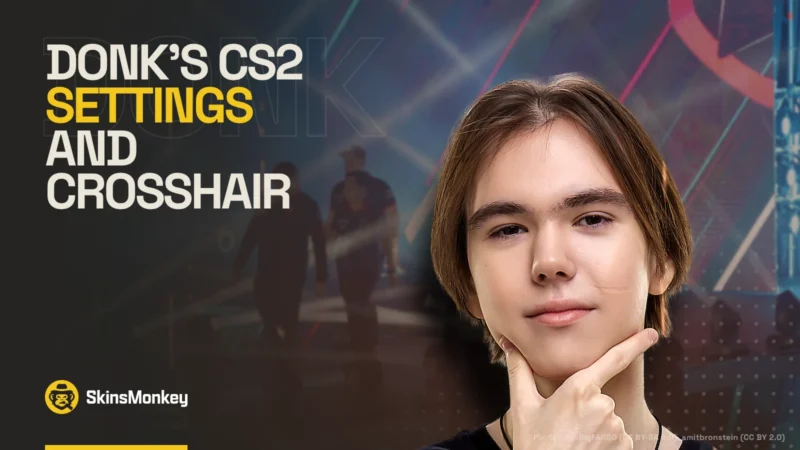
donk plays on 800 DPI at 1.25, which is 1,000 eDPI and about 42 cm for a full turn, with zoom sensitivity 1. His tracked values were the same in February and October 2026, and his 1,000 eDPI is the same speed broky plays on. Our page on donk’s CS2 setup and crosshair has the rest of his config.
ZywOo’s row is the one where our own data is newer than Liquipedia. His Liquipedia entry from December 2025 shows 400 DPI at 2.0. Our ZywOo CS2 setup page tracks a drop to 1.9 in September 2026, which is 760 eDPI and about 55 cm, as of October 25, 2026.
NiKo shows how far a setup can move. In May 2022 we listed him on 400 DPI at 1.51, or 604 eDPI. His entry dated July 2025 is 1600 DPI at 0.45, or 720 eDPI: four times the DPI, but only about 19 percent more speed.
Console Commands for CS2 Sensitivity, and the Windows Options CS2 Ignores
Turn the developer console on in the Game tab of the game options, open it and type:
sensitivity 2sets your in-game sensitivity. It is the same number as the slider in the Keyboard / Mouse tab.zoom_sensitivity_ratio 1sets your speed while you look through a scope, as a multiplier of your normal sensitivity. 1 is the default, and both donk and ZywOo play on 1. CS:GO used the namezoom_sensitivity_ratio_mouse, so check old config files for the long name.m_yaw 0.022andm_pitch 0.022are the defaults for turning left and right and for looking up and down. Leave them alone, or every formula on this page and every pro comparison stops working for you.m_rawinputno longer exists. Players on the Steam forums have reported an unknown command message since September 2023, because CS2 always reads raw mouse data from the device.
Because CS2 always works with raw mouse data, the Windows pointer speed slider and “Enhance pointer precision” do not change your aim in a match. They still change the cursor on the desktop and in menus. CS2 has no acceleration option of its own, so if quick flicks feel faster, the cause is outside the game, most often in the mouse software. Our guide to fixing mouse acceleration in CS2 goes through the checks one by one.
How to Find Your Own CS2 Sens in One Week
A pro’s number fits his arm, his mousepad and thousands of hours on it. Use the table to see where you stand, then test around your own number:
- Write down where you start. DPI, in-game sensitivity and eDPI, so you can always go back.
- Try two neighbors. Play one Deathmatch at your current eDPI, one about 15 percent lower and one about 15 percent higher. At 800 DPI and 1.0 that means 0.85 and 1.15.
- Watch how you miss. If you often fly past the head on flicks, your sens is too fast. If you often stop before the target and need a second correction, it is too slow.
- Check the 180. From a held angle you should be able to turn around with one arm movement, without lifting the mouse.
- Change one value per week. Keep the best of the three for a week, then repeat. Our CS2 config for offline aim and grenade drills gives you a server with real angles for the first sessions.
Coming down from 2,000 eDPI or more? Lower it in two or three rounds of this test.
Valorant to CS2 Sens: Multiply by 3.18
Valorant turns your view by 0.07 degrees per mouse count at sensitivity 1, and CS2 by 0.022. 0.07 / 0.022 = 3.181818, so your CS2 sensitivity is your Valorant sensitivity multiplied by 3.18. Keep the same DPI and your turn speed stays the same.
An example: on 800 DPI and 0.35 in Valorant, you set 0.35 × 3.181818 = 1.11 in CS2 on the same 800 DPI. That is about 891 eDPI and 47 cm for a full turn. The other way, divide by 3.18: ZywOo’s Liquipedia value of 2.0 would be 0.63 in Valorant.
| From | To get your CS2 sensitivity | Example at the same DPI |
|---|---|---|
| Valorant | multiply by 3.181818 (3.18) | 0.35 becomes 1.11 |
| Apex Legends | keep the same number | 2.0 stays 2.0 |
| Overwatch 2 | divide by 3.33 | 5 becomes 1.5 |
| CS:GO | keep the same number | 1.6 stays 1.6 |
Apex Legends uses the same 0.022 scale as Counter-Strike, so its number carries over unchanged. Overwatch 2 turns 0.0066 degrees per count, which is why you divide by 3.33. These ratios cover normal aim only, so set zoom_sensitivity_ratio by feel after the switch.
CS:GO to CS2: keep your number
CS:GO and CS2 use the same 0.022 scale, so a CS:GO sensitivity carries over one to one. The exception: if you played CS:GO with m_rawinput 0 and the Windows pointer speed away from the middle notch (the default, multiplier 1), Windows changed your real speed. Players in that position reported on the Steam forums in 2023 that their old number felt different in CS2. The step test above is the quickest fix.
The Skins on the Screens of donk, ZywOo and NiKo
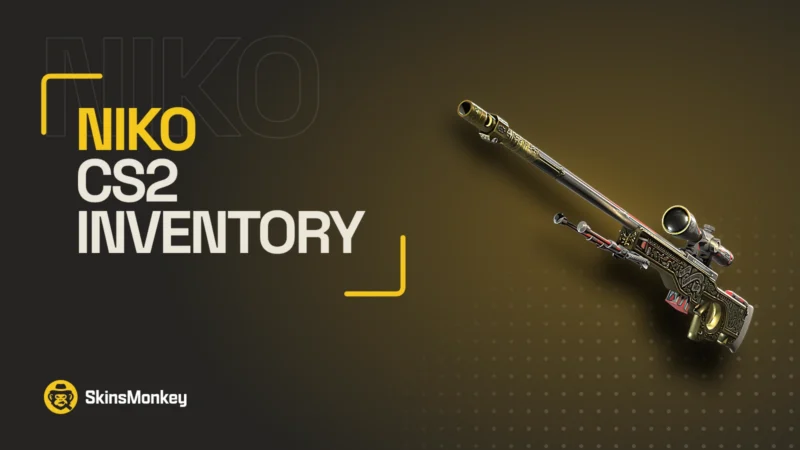
Sensitivity is the part of a pro setup to copy last. The skins are easier. We ran the Steam accounts of donk, ZywOo and NiKo through our free CS2 Inventory Value Checker in October and November 2026, and each item below is in one of their inventories in Factory New. NiKo’s full result is in our look at NiKo’s CS2 inventory. The prices are SkinsMonkey prices from November 23, 2026.

AWP | Gungnir
- donk’s copy
- Factory New
- Factory New, Nov 23, 2026
- $14,500.47
- From today
- $5,979.49
The most valuable item our checker found in donk’s account on October 17, 2026. It comes from The Norse Collection. On November 23 no Factory New copy was listed for trade on SkinsMonkey, and two Field-Tested copies started at $9,482.05.
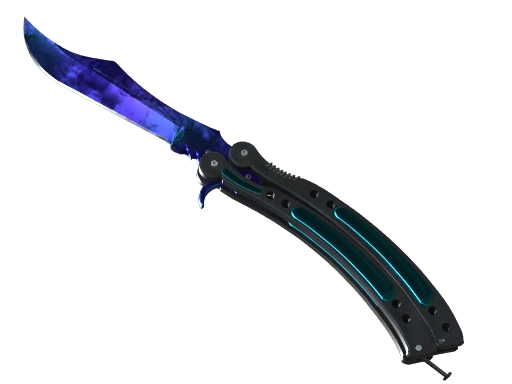
Butterfly Knife | Doppler Sapphire
- ZywOo’s and NiKo’s copies
- Factory New
- Factory New, Nov 23, 2026
- $7,584.50
- From today
- $4,934.94
ZywOo’s most valuable item on October 27, 2026, and NiKo owns one in Factory New too. Sapphire is the deep blue Doppler gem from the Spectrum Case and Spectrum 2 Case, and it exists only in Factory New and Minimal Wear.

Karambit | Gamma Doppler Emerald
- NiKo’s copy
- Factory New
- Factory New, Nov 23, 2026
- $8,034.45
- From today
- $5,240.21
NiKo’s most valuable item when we checked his account on November 5, 2026. Emerald is the green Gamma Doppler gem from the Gamma Case and Gamma 2 Case, and like the Sapphire it comes only in Factory New and Minimal Wear.
Two of the seven players in our table own the same knife: ZywOo and NiKo both have a Factory New Butterfly Knife Doppler Sapphire. NiKo pairs it with the Karambit Gamma Doppler Emerald, and donk’s AWP Gungnir is the only weapon skin of the three and, at $14,500.47 for Factory New on November 23, 2026, also the most expensive. Open donk’s inventory, ZywOo’s inventory or NiKo’s inventory in the checker to see today’s value. If one of these skins fits your loadout, you can trade for it on SkinsMonkey with instant bot trades.
Skins from the pros in our table
Bottom line
Set your eDPI between 600 and 1,000, find the exact value with a one-week step test and leave m_yaw alone.
Coming from Valorant, multiply by 3.18 and play a full week before you change anything. Coming from CS:GO, keep your number. Everyone else should start from eDPI and cm/360, because those two values tell you more than any single pro setup.
DPI is the smaller decision: 400 is the most common pro value, and 800 or 1600 give finer steps at the same speed. Windows pointer options only affect the desktop, so check your mouse software for acceleration, the one place CS2 can pick it up from.
FAQ
What is a good CS2 sensitivity?
A good CS2 sensitivity for most players is between about 600 and 1,000 eDPI, the range where top pros play. The nine pros in our November 2026 table go from 600 to 1,024 eDPI, with a median of 800. That is 400 DPI at 2.0 or 800 DPI at 1.0, about 52 cm for a full turn. Find your exact value with a step test instead of copying one player.
How do I calculate eDPI in CS2?
Multiply your mouse DPI by your in-game sensitivity. 400 DPI at 2.0 is 800 eDPI, and 1600 DPI at 0.45 is 720 eDPI. Two players with the same eDPI turn at the same speed in CS2, whatever DPI they use.
What is the best DPI for CS2?
No single DPI is best for CS2, because eDPI decides your speed. 400 DPI is the most common choice among pros: six of the nine players in our November 2026 table use it, two use 800 and one uses 1600. A higher DPI with a lower in-game value gives the same speed in smaller steps.
How do I convert Valorant sens to CS2?
Multiply your Valorant sensitivity by 3.18 and keep the same DPI. Valorant 0.35 becomes about 1.11 in CS2. The ratio comes from the turn per mouse count, 0.07 degrees in Valorant and 0.022 degrees in CS2.
Does Windows mouse speed affect CS2?
No. Windows pointer speed and "Enhance pointer precision" do not change your aim in CS2, because the game always reads raw mouse data. They only change the cursor on the desktop and in menus. Acceleration from your mouse software does reach the game, so turn it off there.
Was this article helpful?One tap. It tells us what to update first.
Thanks, noted. Alex reads these before every update.
Sources
- SkinsMonkey WIKI: AWP | Gungnir, prices checked November 23, 2026 (data)
- SkinsMonkey WIKI: Butterfly Knife | Doppler Sapphire, prices checked November 23, 2026 (data)
- SkinsMonkey WIKI: Karambit | Gamma Doppler Emerald, prices checked November 23, 2026 (data)
- SkinsMonkey blog: CS2 Pro Settings and Configs, values checked on Liquipedia November 4, 2026 (data)
- SkinsMonkey blog: ZywOo CS2 Settings and Crosshair, values as of October 25, 2026 (data)
- SkinsMonkey blog: donk CS2 Settings and Crosshair, values as of October 11, 2026 (data)
- Liquipedia: Mouse Settings (m_yaw 0.022, turn circumference formula, raw input and Windows pointer speed)
- Steam Community, Counter-Strike 2 discussions: m_rawinput reported as unknown command, September 2023
- Steam Community, Counter-Strike 2 discussions: CS:GO sensitivity with m_rawinput 0 in CS2, November 2023
- BLAST.tv: CS2 and VALORANT sensitivity converter, September 27, 2023
- Sportskeeda: Apex Legends to CS2 sensitivity
- Sportskeeda: CS:GO to Overwatch 2 sensitivity