
TL;DR
donk plays CS2 on 800 DPI and 1.25 in-game sensitivity (1000 eDPI), zoom sensitivity 1, at 1280x960 stretched on a 600 Hz monitor. Codes for his crosshair created before September 22, 2026 no longer import; the reliable way to get his current crosshair is to copy it from the scoreboard in a recent Team Spirit match.
On this page
donk plays on 800 DPI with an in-game sensitivity of 1.25, which works out to 1000 eDPI, on a 1280×960 stretched resolution. For a player who usually takes the first duel of the round, that is a low sensitivity: most of his flicks come from the arm, not the wrist. The numbers below are his publicly tracked settings as of October 11, 2026, and they match the values listed in February on every mouse and resolution setting. Where the two snapshots differ (the viewmodel), we say so.
The crosshair is the one part that changed for everyone in September. Valve moved crosshair values to real pixels in the Rush Hour update and rewrote the share code format, so most “donk crosshair codes” floating around today are conversions of his old settings, not codes he exported himself. We explain below how to grab his current crosshair straight from a match instead.
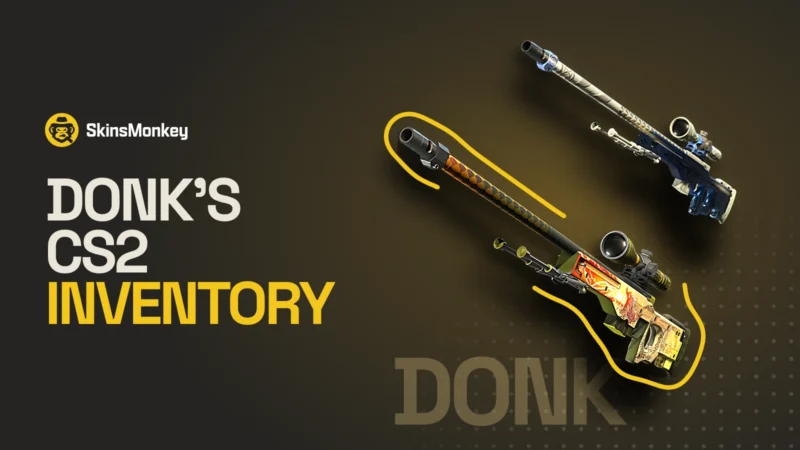
If you came for the skins, we checked his Steam inventory on the same day and wrote it up in donk’s CS2 inventory. Anything from it that you like is tradeable on SkinsMonkey.
Mouse and Sensitivity: 1000 eDPI Is Lower Than You Think
| Setting | Value |
|---|---|
| DPI | 800 |
| In-game sensitivity | 1.25 |
| eDPI | 1000 |
| Zoom sensitivity | 1 |
| Polling rate | 1000 Hz |
| Windows sensitivity | 4 (February 2026 listing) |
| cm/360 | about 42 cm |
At 42 cm for a full turn, donk needs a wide mousepad and a lot of arm. Copying 1.25 on 800 DPI only makes sense if your current sensitivity is already somewhere near it. Jumping from 2000 eDPI to 1000 in one evening usually ruins your aim for a week before it helps. If you want to try it, step down in two or three moves and play Deathmatch at each step.
Video Settings: 4:3 Stretched on a 600 Hz Panel
| Setting | Value |
|---|---|
| Resolution | 1280×960 |
| Aspect ratio | 4:3 |
| Scaling mode | Stretched |
| Display mode | Fullscreen |
| Refresh rate | 600 Hz |
1280×960 stretched is one of the most common pro setups in CS2. Models look wider, which some players find easier to hit, at the cost of a narrower field of view. His monitor is a 600 Hz panel. The resolution itself does not need a high-end PC, and a lower resolution usually means more frames on the same hardware. If you want the launch options that usually go with it, our CS2 launch options guide covers them.
Crosshair: Why Most donk Codes Online Are Guesses
Before the September 22 update, donk’s tracked crosshair was a small green static cross: size 1, thickness 1.5, gap -4, no dot, no outline, full alpha, color R11 G255 B0. Those values were set in the old scale. After the update, length, thickness and gap are measured in pixels, and a hotfix on September 23 changed the code format a second time. Our crosshair update breakdown covers both changes.
All of this now lives in the new Crosshair/Scopes tab that came with the same update. It previews your crosshair on map backgrounds and player models instead of a grey box, and Share and Import sit in one place. The September 30 patch added outline color and opacity, a tenth style called Static Quadrant, and brought back negative gaps for Classic Dynamic. donk uses a static cross, so the last change does not touch his setup, but if you rebuild his crosshair by hand, this is the panel to do it in.
What this means in practice: a code built from his old values can look close to his crosshair, but it is a conversion. We found three different “new” donk codes in circulation, each converted by a different tool.
The reliable way to get it is to copy it yourself. Open a Team Spirit match in GOTV or a downloaded demo, open the scoreboard, right-click donk and choose to copy his crosshair. Everything copied this way is already in the new format, so it imports cleanly: open Settings, go to Crosshair/Scopes and paste it under Import. For the full list of styles and commands after the update, see our CS2 crosshair settings guide.
Viewmodel: Two Snapshots, One Difference
| Command | October 2026 | February 2026 |
|---|---|---|
| viewmodel_fov | 68 | 68 |
| viewmodel_offset_x | 2.5 | 2.5 |
| viewmodel_offset_y | 0 | -1 |
| viewmodel_offset_z | -1.5 | -1.5 |
| viewmodel_presetpos | 2 | 1 |
The October values are the safer pick. The difference is small: offset_y 0 pushes the gun slightly further forward than -1. You can paste the commands into the console or an autoexec, and our viewmodel guide explains what each one does.
Gear
| Item | Model |
|---|---|
| Mouse | ZOWIE x donk signature mouse (not released yet) |
| Mousepad | SteelSeries QcK Large, black |
| Keyboard | Wooting 80HE Frost |
| Headset | HyperX Cloud II |
| Monitor | ZOWIE XL2586X+ |
We could confirm the gear list from one tracked source only, so treat it as a snapshot. The Wooting is the interesting choice: rapid trigger keyboards make counter-strafing faster, which suits the way donk peeks.
Should You Copy donk’s Settings?
Copy the parts that do not depend on your hands. Resolution, viewmodel and crosshair are personal taste and you can try them in five minutes. Sensitivity is different. donk’s 1000 eDPI works because he has played thousands of hours on it, and his aim style relies on arm movement that many players do not have the desk space for. A better test: keep your own sensitivity, take his resolution and viewmodel for a week, and compare your Premier results. If you want to see how other players set up, our CS2 pro settings and configs page collects more of them.
The Skins on His Screen
Settings are half of what people copy from donk. The other half is the inventory: a Factory New Dragon Lore, an AK-47 Wild Lotus and a USP-S Orion with four Katowice 2014 Vox Eminor Holo stickers, among others. We checked the account with our free CS2 Inventory Value Checker and listed every notable item in donk’s CS2 inventory. You can also open his inventory in the checker yourself and see today’s value, or paste your own Steam profile to compare. If you want a cheaper version of his look, the same skins without tournament stickers cost a fraction of his copies, and you can trade for them on SkinsMonkey with instant bot trades.
3 skins from donk’s inventory worth a look

AWP | Dragon Lore
- His copy
- Factory New
- Our checker, Oct 17
- $14,338.18
- From today
- $6,560.66
donk’s Dragon Lore carries a single Crown (Foil) sticker and nothing else.

AK-47 | Wild Lotus
- His copy
- Field-Tested
- Our checker, Oct 17
- $9,682.10
- From today
- $6,418.63
Four Crown (Foil) stickers and a Semi-Precious charm on a Covert AK from the St. Marc Collection.

USP-S | Orion
- His copy
- StatTrak, Factory New
- Our checker, Oct 17
- $179.74
- From today
- $61.85
The skin itself is cheap. His copy is not: four Vox Eminor (Holo) stickers from Katowice 2014 make it one of the rarest crafts in his inventory.
Want to see the rest? donk’s full CS2 inventory lists his knives, gloves and Katowice 2014 crafts, and his live result in our checker shows every item at today’s prices.
FAQ
What sensitivity does donk use in CS2?
donk uses 800 DPI and 1.25 in-game sensitivity, which gives 1000 eDPI. His zoom sensitivity is 1. His tracked settings were the same in February and October 2026.
What resolution does donk play on?
He plays on 1280x960 with a 4:3 aspect ratio, stretched, in fullscreen. He uses a 600 Hz ZOWIE monitor.
What is donk's crosshair code?
His current code is the one you copy from the scoreboard in a recent Team Spirit match. Codes created before September 22, 2026 no longer import, and many codes online are conversions of his old settings, which were a small green static cross with a negative gap.
What mouse does donk use?
A ZOWIE x donk signature mouse that has not been released yet, at 800 DPI and 1000 Hz.
Was this article helpful?One tap. It tells us what to update first.
Be the first to rate this article.
Thanks, noted. Alex reads these before every update.