
TL;DR
Your CS2 crosshair code says invalid because Valve changed the share code format: codes made before the Rush Hour update of September 22, 2026 stopped importing, and since September 30 the game only accepts codes that start with CS and have no dashes. Rebuild the crosshair in the Crosshair/Scopes tab or copy it again from a match; the September 30 patch also added outline color, a tenth style called Static Quadrant and negative gaps for the classic dynamic style.
On this page
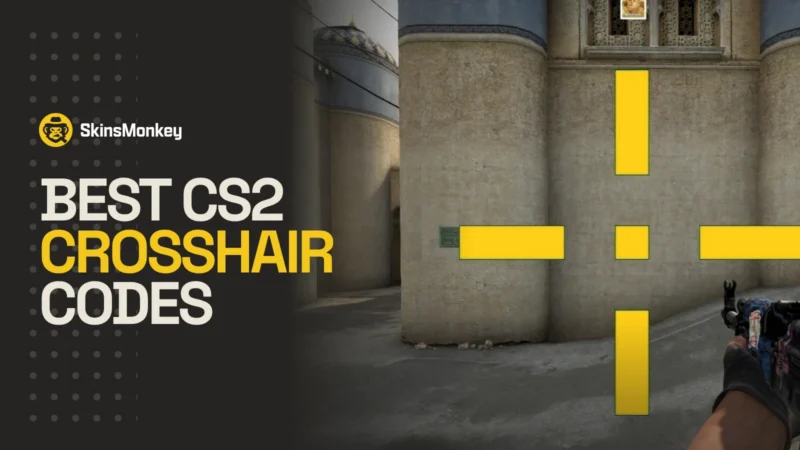
Valve slipped the biggest crosshair change in the game’s history into the Rush Hour update on September 22, right under the headline about Rush mode and silent reloads. Crosshairs now use real pixels instead of a scale tied to your resolution, the settings moved to a new Crosshair/Scopes tab, the style list grew from six to ten over the following eight days, and the default is a thing called Dynamic Quad.
The part Valve did not put in bold: every crosshair code created before September 22 is dead. Paste one in and the game answers “Invalid or old crosshair code”. Since September 30 the same goes for any code that starts with CSGO-, because Valve moved share codes to a new format that starts with CS and has no dashes.
We think the new system is the right call and about five years late. Anyone who ever imported a pro’s code on 1280×960 stretched and got a crosshair twice the size the pro sees knows why. The rollout is another story. Valve shipped it eleven days before ESL Pro League Season 24 without a converter, followed up with a hotfix the next day, and changed the code format again on September 30, three days before the event started.
The hotfix also revised the code layout, which Valve did not mention in its notes; developers of open-source share-code libraries recorded it as a separate version. The September 30 change is in the notes, and it is the one that retired the old CSGO- prefix. Pros ended up rebuilding their crosshairs in the days before a LAN instead of during the off-season.
If your muscle memory is tied to a crosshair you have used since CS:GO, this patch cost you a few Deathmatch sessions. Below is what changed, what the ten styles do, and how to get your old crosshair back. Between rounds of relearning it, you can still trade CS2 skins on SkinsMonkey, where nothing got reset.
Since Publication: What Changed After September 28
We published this breakdown on September 28. Two patches since then touched the crosshair, and a third makes copying crosshairs from demos easier:
- September 30. Outline color option (with its own transparency), a tenth style called Static Quadrant, negative gaps allowed again for the classic dynamic style, classic dynamic alpha in 0.01 steps, a fix for how weapon inaccuracy and spread are drawn, grenade crosshairs during freeze time for insta-smokes, scope dot size and color saved in the share code, and a new share code format.
- October 2. Fixed grenade crosshair rendering at a thickness of 3 pixels and added the new crosshair settings to the Workshop variable whitelist. The rest of that patch is in our October 2 update coverage.
- October 14. Demo viewer improvements: a download progress bar, click-and-drag camera controls, and free and chase cameras that work while a demo is paused.
The updates of October 5 and October 8 did not touch the crosshair. Every section below already reflects these changes.
Pixels, Not Percentages: The Change That Broke Every Code
Before the update, cl_crosshairsize 3.9 and cl_crosshairgap -2.2 were numbers on an arbitrary scale that the engine converted to pixels depending on your resolution. The same code produced a different crosshair at 1080p, 1440p and on a stretched 4:3 setup.
- Sep 22, 2026 Rush Hour switches crosshairs to pixels, old codes break.
- Sep 23, 2026 Hotfix adds rescaling and quietly revises the code layout.
- Sep 30, 2026 New share code format starts with CS, CSGO- codes fail.
The new values are pixels. Valve’s own example from the patch notes: for a 1-pixel wide crosshair with 8-pixel bars and a 4-pixel gap, you set thickness 1, length 8, gap 4. Nothing to calculate.
The hotfix a day later (September 23 US time, September 24 in Europe) explained that the crosshair rescales automatically when the resolution changes, so it keeps its proportions when you jump from 1280×720 to 2560×1440. Valve calls the whole thing “resolution independent”. It is not identical on every monitor, because aspect ratio, color and style still shape what you see, but a code you import now lands close to what its author sees.
Three things changed along with the old scale, and one of them came partly back on September 30:
- Negative gap. It disappeared on September 22, and the trick of setting -2 or -3 to pull the bars into the center, which a large share of pros used, went with it. On September 30 Valve allowed negative gaps again, but only for the classic dynamic style. Static styles still start at 0, so gap 0 with shorter bars remains the closest you get on a static cross.
- Outline. Outline thickness no longer takes decimals. The 0.5 outline that half the scene ran is now a choice between none, half-outline (top and left edges only, added in the hotfix) and full. Since September 30 the outline also has its own color and transparency.
- Scope dot. Scope dot size and color used to stay out of the code. Since September 30 they travel with it.
Old codes also store their values in the old scale and without the screen resolution they were made on, so a converter has to estimate the pixel size. That is why converted crosshairs come out close to the original but not exact.
Ten Styles and a New Default Nobody Asked For
The style selector went from six options to ten in eight days. Valve’s notes only name Dynamic Quad (September 22), the static square style (September 23), Static Quadrant (September 30) and the classic dynamic style. The full list and numbering below come from players who mapped the menu to cl_crosshairstyle, so treat the order as community-documented rather than official.
| Value | Style | Moves? | Who it is for |
|---|---|---|---|
| 0 | Dynamic Cross | Yes | Learning movement inaccuracy |
| 1 | Dynamic Circle | Yes | Spray practice, rare in matches |
| 2 | Dynamic Cross (Classic) | Yes | The only style with a negative gap since September 30 |
| 3 | Static Circle | No | Niche |
| 4 | Static Cross | No | The classic pro crosshair |
| 5 | Dynamic Cross (Legacy/Shot Feedback) | When firing | CS:GO-era holdouts |
| 6 | Dot Only | No | AWP and Deagle players |
| 7 | Dynamic Quad | Yes (new default) | New players |
| 8 | Static Square | No | Added in the September 23 hotfix |
| 9 | Static Quadrant | No | Added on September 30 |
cl_crosshairstyle. Valve has not published the list.Static Cross (4) is the classic pro crosshair and nothing about the update changes that. Dot Only (6) gives AWPers a dedicated dot style instead of a cross with the bars shrunk to nothing. Valve’s September 23 notes explain the dynamic styles: they show the weapon’s real spread and inaccuracy, a baseline of 64 pixels covers the weapons with the largest spread, and the Dynamic Spread Limit setting caps how far the crosshair opens. On September 30 Valve fixed how that inaccuracy is drawn.
Dynamic Quad, the new default, is four bars for reference plus a dynamic layer that opens up as your accuracy drops. Valve says it “better represents weapon accuracy”, and for a player in their first hundred hours it does.
We tried it for a few evenings of Premier and switched back to static by the second map. Once you know that moving and shooting misses, the extra movement in the middle of the screen only pulls your eyes away from the head. Static Quadrant, the tenth style, solves that for anyone who likes the four-part shape: its four elements stay fixed when you move or shoot, and a Quadrant Size slider sets how far apart they sit.
The New Crosshair/Scopes Tab Is What the Game Tab Should Have Been
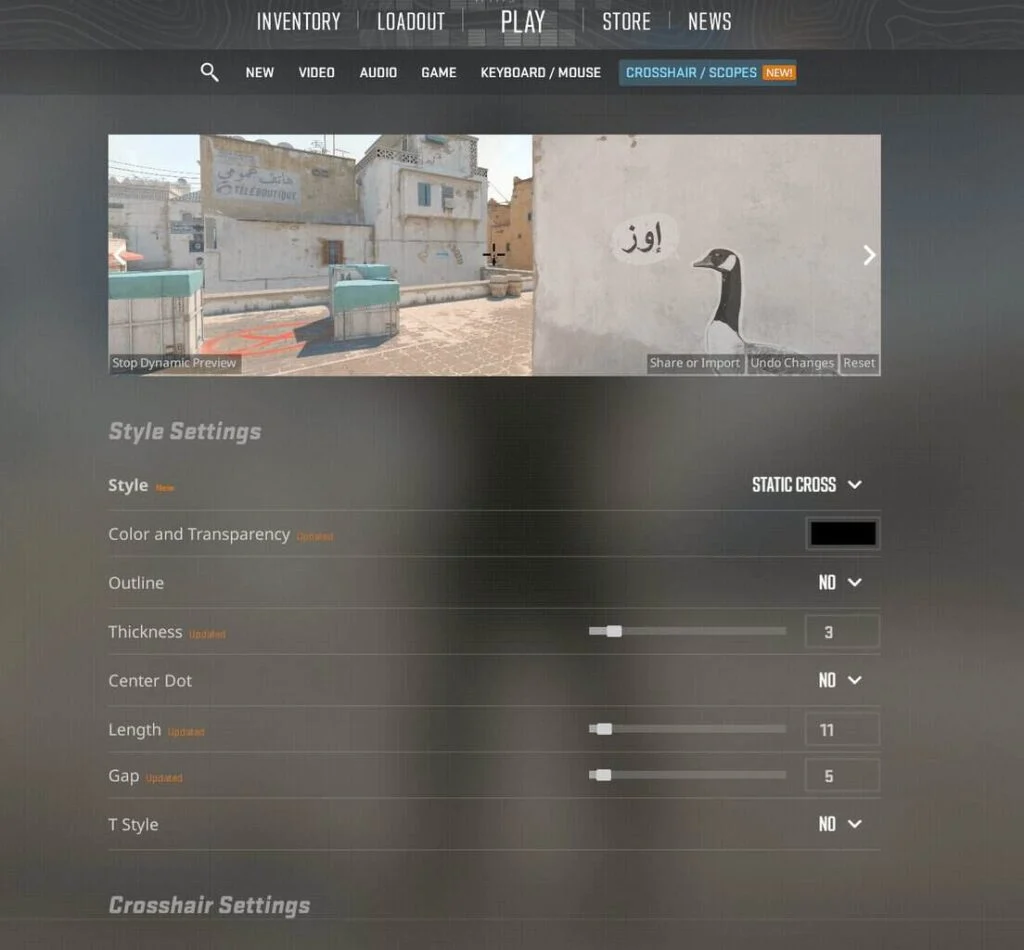
Crosshair settings used to live at the bottom of the Game tab with a tiny preview on a grey box. The new Crosshair/Scopes tab puts crosshair and scope controls in one place and previews the result on map backgrounds and player models. You can check whether your cyan crosshair survives Nuke’s ceiling lights before you find out mid-clutch.
Share and Import are in the same place, and copying another player’s crosshair from the scoreboard still works, with the bonus that everything you copy from a current match is already in the new format.
The console route is still there for people who prefer an autoexec, but several commands were renamed:
| Before September 22 | Now | Notes |
|---|---|---|
cl_crosshairsize | cl_crosshair_length | Pixels |
cl_crosshairthickness | cl_crosshair_thickness | Pixels |
cl_crosshairgap | cl_crosshair_gap | Pixels; negative only with the classic dynamic style |
cl_crosshairalpha | cl_crosshaircolor_a | Crosshair transparency |
cl_crosshairstyle | cl_crosshairstyle | Same name, now 0 to 9 |
| (new) | cl_crosshair_dynamic_spread_limit | How far the dynamic styles open |
| (new) | cl_crosshairoutline_r, _g, _b, _a | Outline color and transparency, September 30 |
| Scope dot settings | cl_ironsight_dot_scale, cl_ironsight_usecrosshaircolor | Saved in the share code since September 30 |
cl_crosshairstyle without an underscore, even though some lists online, including an earlier version of this article, wrote it as cl_crosshair_style.An autoexec from before the patch still has the old names in its crosshair lines, so swap them for the new ones. Working examples in the new units are in our CS2 crosshair settings guide, and the wider CS2 console commands guide covers the rest.
Most “New Pro Crosshair” Lists Are Still a Guess
This is the part to be careful with. Within a day of the patch, articles with “donk’s new crosshair” and “ZywOo’s new code” were everywhere. In late September none of them came from the players. They were old codes run through community converters, and the sites behind two of the biggest lists said so on their own pages.
Those converted codes all used the CSGO- format, so they stopped importing on September 30. The new-format lists we checked in October do not say where their codes come from, and one of them gives two different players the exact same code.
The real codes exist now. Pros played on the new system at ESL Pro League Season 24, with the Swiss stage from October 3 to 7 and the playoffs at the Spodek in Katowice from October 9 to 11, and those matches have demos. Load one, hold Tab, right-click to free the cursor, click the player and choose Copy Crosshair. Our crosshair settings guide walks through it step by step and names a recent match for ten top players, including donk.
How to Get Your Old Crosshair Back
Valve did not ship a converter, and nothing in the notes up to October 14 changes that, so you have two ways.
If you saved your old code
Paste the legacy CSGO- code into a community converter, copy the new code and import it in the Crosshair/Scopes tab. Use a tool that outputs a code starting with CS; converters that still hand you a CSGO- code have not caught up with the September 30 format. Expect small differences. If you used a negative gap or a 0.5 outline, expect bigger ones, and try Dynamic Cross (Classic) if the negative gap matters more to you than a static crosshair.
If you never saved anything
Rebuild by eye in the new tab. Start from thickness 1, length 5 and gap 2 on Static Cross and adjust from there; the map previews make it a ten-minute job.
Whichever route you take, load a Deathmatch or a private match before Premier.
What Is Still Missing
- A converter from Valve. The company changed the code format on September 22, revised it the next day, replaced it on September 30 and left migration to community tools every time. A short compatibility layer that reads old codes and approximates them would have saved the entire player base an evening.
- Pro-facing timing. Shipping a crosshair overhaul eleven days before a full-LAN Pro League, and then a new code format three days before it, meant teams were testing reticles in hotel rooms instead of during the off-season. Open-source share-code libraries, which several code generators depend on, had to add support for the new
CSformat after September 30. - Negative gap on static styles. The negative gap came back only for the classic dynamic style. A static cross with a negative gap, the setup a large share of CS:GO-era pros used, still has no exact equivalent, and Valve has not said whether one is coming.
What This Means for Your Inventory
Nothing, in terms of prices. This is a settings patch, and skins do not care what your crosshair looks like. The practical effect is a few weeks of Deathmatch and Rush mode for a lot of players who are relearning their aim, and more time between sessions on the SkinsMonkey trade page than usual.
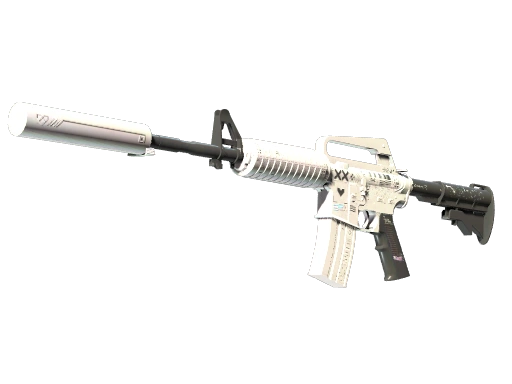
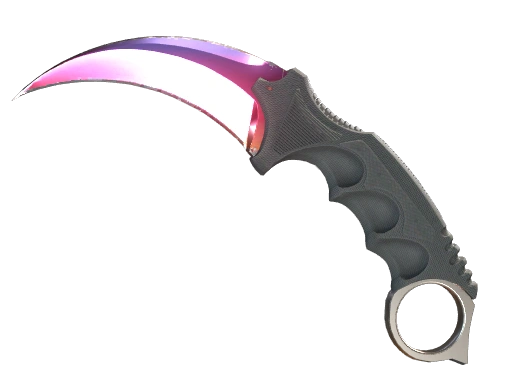
If you are building a loadout, this is a fair moment to check how your favorite skins look under the new crosshair colors and outline options. A full outline on a thick cyan cross looks noticeably heavier on screen than the old 0.5 did, although since September 30 you can soften it with a darker or more transparent outline color. And if you play a lot of Rush, where rounds are short and the spray patterns matter more than the crosshair, the change will barely register.
Skins to check under the new crosshair

Bottom line
Stop pasting CSGO- codes: rebuild your crosshair in pixels or copy a fresh CS code from a demo.
If you saved your old code, run it through a converter that outputs a code starting with CS and fine-tune the result in the Crosshair/Scopes tab. No saved code? Start on Static Cross at thickness 1, length 5 and gap 2. Players who relied on a negative gap only get it back on Dynamic Cross (Classic), so decide whether that matters more to you than a static cross.
For a pro's crosshair, skip the lists and copy it yourself from a demo of a match played after September 30, such as ESL Pro League Season 24. New players can stay on Dynamic Quad to learn how much accuracy movement costs, then switch to Static Cross or Static Quadrant. Your skins came through the patch untouched, so the only inventory question is how your loadout looks under the new outline colors.
FAQ
Why does my CS2 crosshair code say invalid or old?
Because the code is in a format the game no longer reads. Codes created before the Rush Hour update of September 22, 2026 stopped importing, and since the September 30 patch the game only accepts codes that start with CS and have no dashes, so every CSGO- code fails. Copy the crosshair again from a match, convert the old code with a tool that outputs the CS format, or rebuild it in the Crosshair/Scopes tab.
What did the September 30 CS2 crosshair update change?
It added an outline color option, a tenth style called Static Quadrant and negative gaps for the classic dynamic style. It also fixed how weapon inaccuracy is drawn, enabled grenade crosshairs during freeze time for insta-smokes, saved scope dot size and color in the share code and changed the share code format.
What is the Dynamic Quad crosshair in CS2?
Dynamic Quad is the default crosshair style since September 22, 2026. It combines four bars as a fixed aiming reference with a dynamic layer that opens up as your weapon accuracy drops. Most experienced players switch to Static Cross or Static Quadrant, but the dynamic part is useful for learning how movement affects accuracy.
Did the CS2 update change the crosshair console commands?
Yes. cl_crosshairsize became cl_crosshair_length, cl_crosshairthickness became cl_crosshair_thickness, cl_crosshairgap became cl_crosshair_gap and cl_crosshairalpha became cl_crosshaircolor_a, all in pixels. The style is still cl_crosshairstyle, now from 0 to 9, and the September 30 patch added cl_crosshairoutline_r, _g, _b and _a for the outline color.
Can I still use pro player crosshair codes in CS2?
Only codes in the new CS format, and the reliable ones are those you copy yourself. Load a demo of a match the player played after September 30, open the scoreboard, click the player and choose Copy Crosshair. Lists of CSGO- codes and converted codes are approximations at best.
Was this article helpful?One tap. It tells us what to update first.
Thanks, noted. Alex reads these before every update.
Sources
- Valve: Counter-Strike 2 Update, September 22, 2026 (Rush Hour release notes)
- Valve: Rush Hour announcement, September 22, 2026
- Valve: Counter-Strike 2 Update, September 23, 2026 (crosshair units, rescaling, half-outlines, static square style)
- Valve: Counter-Strike 2 Update, September 30, 2026 (outline color, Static Quadrant, negative gap, scope dot, share code format)
- Valve: Counter-Strike 2 Update, October 2, 2026 (grenade crosshair fix, Workshop whitelist)
- Valve: Counter-Strike 2 Update, October 14, 2026 (demo viewer improvements)
- HLTV: Silent reload mechanic arrives in new CS update
- Fragster: CS2 update expands crosshair settings again
- esports.gg: ESL Pro League Season 24 Swiss stage results
- csgo-sharecode on GitHub (share code formats and variable names) (data)
- csxhair on GitHub (share code support after Rush Hour) (data)