
CS2 Inventory Value

See what your skins are worth. Paste a Steam profile link, SteamID or trade URL and get the value of every item.

What to enter in the field above to check the inventory value?

Examples on what can be entered.

Steam Vanity URL
https://steamcommunity.com/id/Nicknameuser
Steam Profile URL
https://steamcommunity.com/profiles/01234567890123456
Steam Profile URL
https://steamcommunity.com/profiles/[U:1:00000]
Steam Trade Offer
https://steamcommunity.com/tradeoffer/new/?partner=00000
Steam Invite URL
https://s.team/p/hj-qp
Any Steam Site
https://example.com/profiles/01234567890123456
64-bit Steam ID
01234567890123456
SteamID2
STEAM_1:0:00000
SteamID3
[U:1:00000]
Account ID
00000
CS2 Friend Code
FFFFF-FFFF
Steam Vanity ID
Nicknameuser
FiveM’s hex format
steam:0000000000000ba

Frequently Asked Questions

Everything you need to know about building, testing, and saving your perfect CS2 loadouts.

Chat with our team for instant help.

Live Support 24/7
How do I check my CS2 inventory value?
To check your inventory value, simply enter your SteamID64 or public Steam profile link into our search bar. Our tool will fetch your inventory data from the Steam API and calculate the total worth based on current SkinsMonkey prices. Make sure your inventory privacy settings are set to "Public" so our tool can see your skins.
Why does my inventory value differ between Steam and SkinsMonkey?
The Steam Community Market includes high transaction fees (approx. 15%), and the funds are locked in the Steam ecosystem. Third-party sites like SkinsMonkey often show cash value or trading value, which reflects the real-world liquidity of your items. Our tool shows the value of your items at SkinsMonkey prices, so it can differ from what you see on the Steam Community Market.
Is it safe to use a CS2 inventory value checker?
Using the SkinsMonkey Inventory Value Checker is 100% safe. We only require your public Steam profile link or SteamID64 to read your inventory data. We will never ask for your Steam password, trade URL (unless you are initiating a trade), or any sensitive login credentials. Running our CS2 inventory checker carries no risk of exposing you to CS2 scams.
How often are the skin prices updated?
Our prices are kept up to date, and the value you see is based on the current prices of your items on SkinsMonkey. The CS2 skin market is highly volatile, with prices shifting based on game updates, tournament results, and supply and demand, so the value of your inventory can change over time.
Can I check the value of another player's CS2 inventory?
As long as the other player has their Steam inventory set to "Public", you can paste their profile URL into our tool to see a breakdown of their collection. This is a common practice among traders looking to verify the value of a potential trade offer before sending it.

SkinsMonkey CS2 Inventory Value Checker – Instant Worth & Trade Insights

Understanding how much your inventory is worth is a cornerstone to CS2 trading. Some of the most experienced traders often have a literal fortune in CS2 skins. The most expensive CS2 inventories are often worth hundreds of thousands of dollars.

The SkinsMonkey Inventory Value Checker is the fastest way to get a professional appraisal. Simply paste your SteamID or Profile URL, and our tool will instantly scan your items and show their value at current SkinsMonkey prices.

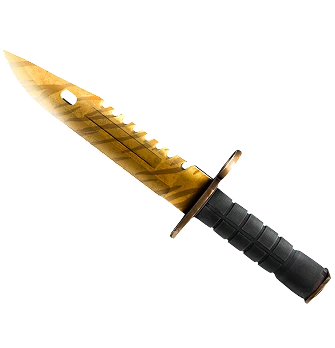
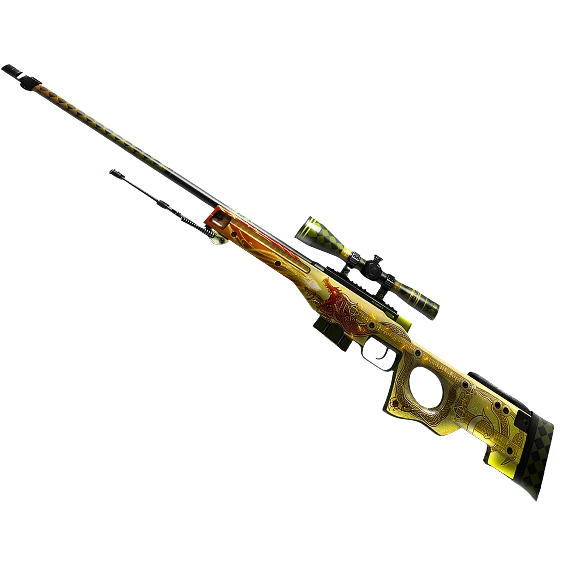
See exactly how much of your wealth is tied up in different categories - knives, AWP skins, stickers, and agents. With our precision pricing engine, we factor in the skin's wear level and rarity to ensure your estimate is as accurate as possible. It's the perfect tool for traders planning their next upgrade or investors looking to track their portfolio's performance over time.

What Makes CS2 Inventory Value Fluctuate in 2026?

The CS2 skin economy is volatile, and many different factors influence your CS2 inventory value. Key factors that affect the total price of your CS2 skins include:

  • Float Value (0.00–1.00)
  • Pattern Index
  • Rarity Tiers
  • Add-Ons

Step-by-Step: Finding and Using Your Steam ID for CS2 Inventory Value

Our CS2 inventory value calculator is easy to use, and allows you to quickly check the total monetary value of your CS2 inventory. To use our CS2 inventory value calculator:

  1. Log into Steam and click on your profile name.
  2. Select "Details" or edit profile.
  3. Copy your SteamID64 (starts with 7656119).
  4. Paste it into our SkinsMonkey inventory value tool.
  5. Scan for your full CS2 inventory value.

Byt CS2 (CSGO) Skins

Vår CS2 (CSGO) Bytesbot Har Alla Skins Du Behöver!
Byt CS2 (CS:GO) Skins Direkt med Lägsta Avgifter!

Byt nu
Member AvatarMember AvatarMember AvatarMember AvatarMember Avatar
Trusted by 4,390,970 members!
Background