

On this page
The alternatives to Steam Market split into three groups, and the right one depends on why you want to leave. For real money, a marketplace with cash payouts such as CSFloat, Skinport or CS.Deals sells your skin to another player and lets you withdraw. For a lower fee, the same marketplaces publish seller fees of 2% to 8%, against 15% on the Steam Market. For an instant skin-for-skin swap, a bot trading site such as SkinsMonkey completes the trade in about a minute. This page compares 8 sites by those three reasons, with the fee and cash-out each one publishes, and explains the Steam Market limits that make players look elsewhere.
For many CS2 players, the Steam Community Market feels like the default place to trade CS2 skins. It is built into Steam, easy to access and familiar to most gamers. The drawbacks show up once you sell more than a few cases: a 15% fee, money that stays in your Steam Wallet, and caps on how much one sale and one wallet can hold.
Who wrote this: this comparison is published by the SkinsMonkey blog, and SkinsMonkey is one of the sites in it. Facts about other sites come from their own fee pages, terms, FAQ or blog, read October 24, October 27 and November 3, 2026. Steam Market facts come from Valve’s Steam Support pages. We do not rate the sites.
Why Players Leave the Steam Market
Valve built the Community Market for spending inside Steam, and every limit follows from that. The table lists the ones players run into most.
| Limit | What Valve sets | What it means for you |
|---|---|---|
| Fee | 5% Steam fee plus 10% CS2 fee, 15% in total, added on top of your price | A buyer pays $100 and you get about $86.96 |
| Where the money goes | Steam Wallet only | You can spend it on Steam, but you cannot withdraw or transfer it |
| Cash out | None, Wallet funds have no cash value | No route from a Market sale to your bank |
| One item for sale | About $1,800 at most | Many knives and gloves cost more than the cap allows |
| Wallet balance | $2,000 at most | A few big sales fill the wallet |
| Access | A Steam purchase older than 7 days and Steam Guard on for 15 days | New accounts wait before they can sell |
| Trade Protection | Traded CS2 items are protected for 7 days and the trade can be reversed | Valve rule for every CS2 trade, on any site |
Fees and the Wallet are the two big reasons. A Market sale never turns into money in your bank, and the 15% is taken from every sale, including the cheap ones. The price cap matters for expensive items: a knife above about $1,800 cannot be listed at its full price at all.
Trade Protection is different. Since July 15, 2025 every CS2 item you receive in a trade is protected for 7 days, and the trade can be reversed during that time. The account that reverses gets a 30-day trade and Market cooldown. This is Valve’s rule for CS2, so no alternative removes it. What changes between sites is what happens during those 7 days: a bot swap is delivered at once, and a cash payout waits until the 7 days end.
How We Checked the Alternatives
We started from the three reasons players give for leaving: cash out, a lower fee and an instant swap. For each reason we took sites that log you in through Steam, trade through Steam trade offers and publish their fees or terms. For each site we wrote down the type, the published fee, whether and how you can withdraw money, and what it fits best. Where a site prints no number, the table says “not published”.
We did not test payouts with our own money on other sites and we do not quote review scores. The fee math in this guide uses the published percentages only. The price your item gets can differ from site to site, so compare offers for your own skin.
Alternatives to Steam Market by Reason to Switch
| Site | Reason to switch | Type | Published fee | Cash out | Best for |
|---|---|---|---|---|---|
| SkinsMonkey | Instant swap | Bot trading | 10% | No, the balance stays for trading | Swapping one CS2 skin for another in about a minute |
| CS.MONEY | Instant swap | Bot trading, P2P market, instant sell | Trade mode 7% base plus a 0% to 13% lock markup. Market 5%, or 3% above $1,000 | Market balance only, to a Visa card, after an 8-day hold | Swaps plus an on-site market |
| Tradeit.gg | Instant swap | Bot trading, instant sell | Not published, 3% lower with “tradeit.gg” in your Steam name | Advertised, terms behind login | Swaps across CS2, Rust and TF2 |
| CSFloat | Lower fee | P2P marketplace | 2% on a sale, withdrawal fee 2.5% down to 0.5% by volume | Yes, bank, US debit card or USDC, about 8 days after a sale | Float and pattern hunting |
| CS.Deals | Lower fee | P2P marketplace, instant sell, trading | 2% on marketplace sales, 0% on withdrawals | Yes, bank and crypto | Lowest published selling fee |
| Skinport | Cash out | P2P marketplace | 8%, 6% on items above 1,000 euros, 2% on private sales | Yes, cash payouts | Selling in euros |
| DMarket | Cash out | Marketplace, bot sales, Face2Face | Up to 10% per terms, bots 1% to 7%, Face2Face 5% | Yes, sale proceeds only, $5 minimum, card, bank, SEPA, PayPal and others | Payouts across four games |
| Skinflow.gg | Cash out | Instant sell | No percentage published, +2% on crypto via Triple-A | Yes, PayPal, crypto, SEPA, ACH, SWIFT, Payoneer, after Trade Protection | Cash without waiting for a buyer |
Read the “Reason to switch” column first. Instant-swap sites leave you with another skin or site balance. Lower-fee and cash-out sites leave you with money, but only after a buyer is found or an offer is accepted, and after the 7-day Trade Protection period. Our list of top-rated skin trading websites covers 12 sites with games and operators.
Cash Out: Alternatives That Pay Real Money
If money in your bank account is the goal, a marketplace or an instant-sell service is the only route. CSFloat, Skinport, CS.Deals and DMarket list your skin for other players and pay out after the sale. Skinflow.gg makes an offer and buys the skin itself. Every cash service pays after the 7-day Trade Protection period, because the trade can be reversed until then.
SkinsMonkey does not pay out cash. Your balance stays on your account for trading. If you trade on SkinsMonkey and later want money for a skin, our sister service SkinCashier buys CS2 skins and shows the price before the trade. For the full picture, read our guide on selling skins for real money.
Lower Fee: What You Keep From a $100 Sale
The published percentage decides how much of the item value reaches you. The table applies each published fee to the same $100 sale.
| Site | Fee used | You keep | What you get |
|---|---|---|---|
| Steam Community Market | 15% added on top | About $86.96 | Steam Wallet funds, cannot be withdrawn |
| CS.Deals | 2% seller fee, 0% withdrawal | $98.00 | Money you can withdraw |
| CSFloat | 2% seller fee, then 2.5% withdrawal fee | About $95.55 | Money, lower withdrawal fee at higher volume |
| Skinport | 8% seller fee | $92.00 | Money, before any payout costs |
CS.Deals and CSFloat publish the lowest selling fee of the group, 2%. CSFloat adds a withdrawal fee of 2.5% that drops to 0.5% once your sales pass $100,000. A Steam Market sale keeps the least, and the result is Wallet money. Marketplaces do have a cost in time: you wait for a buyer, and money from CSFloat or the CS.MONEY Market arrives about 8 days after the sale.
Instant Swap: Where SkinsMonkey Fits
SkinsMonkey is a trading platform, not a marketplace. You log in through Steam, so the site never sees your Steam password. You put your skins on one side, pick items from the bots on the other and accept a Steam trade offer. There is no buyer to wait for, and the bots hold over 140,000 items. The 10% fee is included in the item value quoted on the site, so there is no separate charge to add up.
Built around CS2, the site has completed over 16 million trades. Deposits come with a 30% deposit bonus, or 35% with a creator’s code, and new users can enter the MONKEY code once for 5% of a trade value back, up to $5. Support is a 24/7 live chat.
The bot model is the wrong choice if you want to sell a skin for money in your bank. It fits when you want a different skin today: an upgrade, a downgrade into two cheaper items, or a swap into a knife. Our guide to bot trading vs P2P marketplaces compares the two models in more detail.
Before You Move Skins Off the Steam Market
- Log in only through Steam’s own login page. The address bar must show steamcommunity.com. A site that asks for your Steam password on its own form is a phishing page.
- Never share your Steam Web API key. No trading site needs it, and a stolen key lets scammers cancel and fake your trade offers.
- Check every trade in the Steam offer. Compare item, wear and pattern in the offer on your Steam account before you confirm.
- Start with a cheap skin. A $2 trade shows you how offers, bots and support work before you move anything valuable.
- Plan around the 7 days. Items you receive stay Trade Protected for a week on every site, and cash payouts follow after that.
Our guide on how to avoid CS2 scams covers fake trade bots and phishing pages in detail.
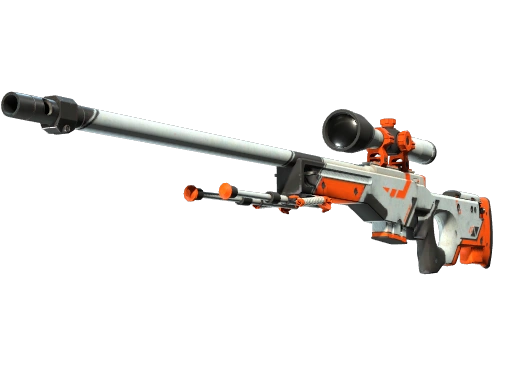
Three popular skins to compare across sites


Bottom line
Pick the alternative by what you want at the end: money, a lower fee or another skin today.
For money in your bank, list on CSFloat, Skinport or CS.Deals and wait for the sale and the 7-day Trade Protection period. For the lowest published selling fee, CS.Deals and CSFloat charge 2%, against 15% on the Steam Market.
For an instant swap, SkinsMonkey trades through bots with over 140,000 items, and adds a 30% deposit bonus, or 35% with a creator's code. Load your inventory and check the offer for your own skin first.
FAQ
What are the best alternatives to Steam Market?
It depends on why you are leaving. For real money, CSFloat, Skinport, CS.Deals, DMarket and Skinflow.gg publish cash payouts. For a lower fee, CS.Deals and CSFloat publish a 2% seller fee, against 15% on the Steam Market. For an instant skin-for-skin swap, SkinsMonkey, CS.MONEY and Tradeit.gg trade through bots.
Is SkinsMonkey.com a safe alternative to Steam Market?
Yes. You log in with your Steam account through Steam's official login, so you never enter your Steam password on SkinsMonkey.com, and every trade is completed instantly by an automated trade bot. Each trade is a normal Steam trade offer that you confirm on your own account.
Why do players look for alternatives to Steam Market?
Because the Steam Market has high fees and locked Steam Wallet funds. Valve adds 15% to every CS2 sale, the money can only be spent on Steam, one item can be listed for about $1,800 at most and the wallet at $2,000.
Why is SkinsMonkey.com the best alternative to Steam Market for swaps?
For instant swaps, a trade with the bots is done in about a minute and you pick from over 140,000 items. SkinsMonkey.com offers a secure Steam login, 24/7 live chat support and a 30% deposit bonus, or 35% with a creator's code. It does not pay out cash, so to sell a skin for money a marketplace with payouts fits better.
Can I withdraw real money from a Steam Market alternative?
Yes, from marketplaces and instant-sell services such as CSFloat, Skinport, CS.Deals, DMarket and Skinflow.gg. Steam Wallet funds and SkinsMonkey balance cannot be withdrawn. Every cash service pays after the 7-day Trade Protection period.
Does any site skip the 7-day Trade Protection?
No. Since July 15, 2025 Valve protects every CS2 item received in a trade for 7 days, and the trade can be reversed during that time. It applies on every site. Bot swaps are delivered at once, and cash payouts wait until the 7 days end.
Was this article helpful?One tap. It tells us what to update first.
Be the first to rate this article.
Thanks, noted. Alex reads these before every update.