
On this page
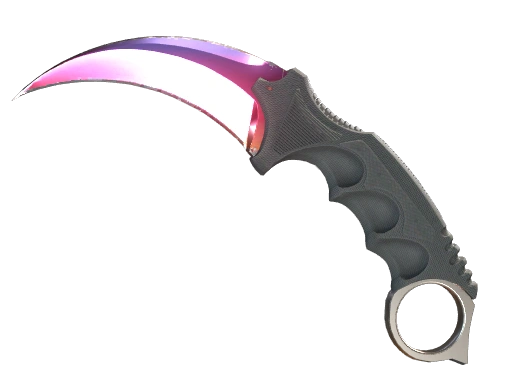
CS2 knives are some of the most expensive items in the entire game. Fade knife skins or unique pieces like Karambit Blue Gem are some of the most expensive skins in the game, which is why you should always think every purchase through. When you trade CS2 skins worth a lot of money, you’re effectively making a large investment. Like with every other big purchase, it’s highly important to make sure your money won’t get wasted.
Thankfully, there’s a hidden method in the game that allows you to try out every knife in CS2 in a practice match, and see how it looks in your own hands. Here’s everything you need to know about CS2 knife commands!
Key takeaways:
- CS2 Knife commands allow you to try out any CS2 knife type in a private match
- You can use knife commands by entering CS2 knife codes into the developer console
- You can’t trade knife skins you get from knife commands
- Using CS2 knife commands is legal and won’t get your account VAC banned
What are CS2 knife commands?
When you use the developer console commands in practice mode, you can activate many different features and manipulate the game in a way that’s not possible in a standard match. One of the many commands you can use is “give weapon_”, which, as the name suggests, instantly equips you with the weapon of your choice. You can add any gun in the game to your inventory, but most importantly, you can also add any knife in CS2 to try it out for yourself. In order to do this, you must use specific console commands for different knives.
How to test knives in CS2?
Before you try playing around with knife commands, you must first enable CS2 developer console. If you haven’t yet, check out our guide on how to use the CS2 console commands.
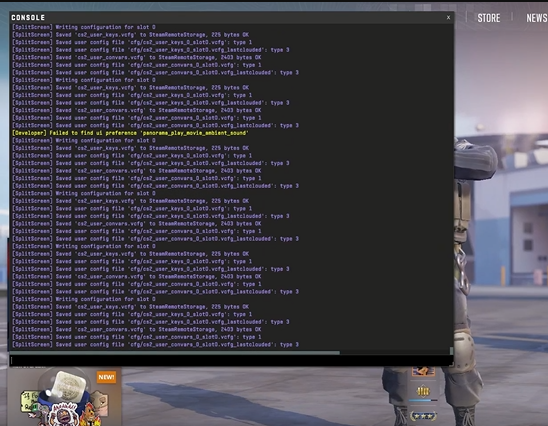
Once you enable the developer console in CS2, start a match in practice mode. Open the developer console, and type in sv_cheats 1 to enable cheats and the following command:
mp_drop_knife_enable 1
To equip the various knives, you must first drop the default knife you’re holding. This option isn’t available in the game, but you can enable it with console commands and drop your knife like any other weapon you’re holding by pressing the ‘G’ key.
All CS2 Knife Commands
Once you’ve dropped your knife, you can simply enter one of the following commands to get any knife you want in the game. The knife spawns on the ground in front of you, so just pick it up:
| Bowie Knife | subclass_create 514 |
| Butterfly Knife | subclass_create 515 |
| Classic Knife | subclass_create 503 |
| Falchion Knife | subclass_create 512 |
| Flip Knife | subclass_create 505 |
| Gut Knife | subclass_create 506 |
| Huntsman Knife | subclass_create 509 |
| Karambit | subclass_create 507 |
| Kukri Knife | subclass_create 526 |
| M9 Bayonet | subclass_create 508 |
| Navaja Knife | subclass_create 520 |
| Nomad Knife | subclass_create 521 |
| Paracord Knife | subclass_create 517 |
| Shadow Daggers | subclass_create 516 |
| Skeleton Knife | subclass_create 525 |
| Stiletto Knife | subclass_create 522 |
| Survival Knife | subclass_create 518 |
| Talon Knife | subclass_create 523 |
| Ursus Knife | subclass_create 519 |
Remember, before spawning a new knife, make sure to drop the one you’re holding first! Spawned knives only last for that practice match and can’t be used on official servers, since the commands require sv_cheats 1.
Can You Use CS2 Knife Commands for Skins?
No, you can’t use knife commands to try out different CS2 skins. The CS2 knife commands mentioned in this guide can only be used to equip the vanilla versions of all CS2 knives. This means that you won’t be able to try out the different rare skins for your favorite knife, but the CS2 knife commands can still be used to check out potential animations of any new knife you might want to purchase.
If you want to try out any rare and expensive knife skins, instead of trying out CS2 knife commands, you should use a CS2 inspect server.
In Conclusion
These are all the CS2 knife commands you can use to try out every knife before you buy one. Make sure to check out the rest of the SkinsMonkey blog, where we regularly add more guides, news, and even free CS2 skins giveaways!
If you enjoyed this article, make sure to check out the rest of the website where you can always trade CS2 skins. Also, make sure to check out the rest of our guides and toplists, including:
- The Best M4A1 Skins in CS2
- Cheapest CS2 Knife Skins
- Best AWP Skins
- Best CS2 Cases to Open
- Neymar Jr. CSGO/CS2 Inventory
FAQ
Can you trade knives from CS2 knife commands?
No, CS2 knife commands will only add a temporary vanilla version of any knife in CS2, but it won't appear in your inventory. You can't buy, sell, or trade CS2 knives from knife commands.
Can using CS2 knife commands get you banned?
No, the CS2 knife commands are a fully legal feature, and you won't get banned for trying out new knives this way. They only work in a practice match or on your own server with sv_cheats 1, not on official servers.
What are the top recommended CS2 knife skins and how to apply them using commands?
To apply CS2 knife commands you have to use the subclass_create command, with the appropriate code. The best CS2 knife skins you can try out with knife commands are: Butterfly Knife Karambit Bowie Knife M9 Bayonet Flip Knife Huntsman Knife Gut Knife Navaja Knife Falchion Knife Paracord Knife
Was this article helpful?One tap. It tells us what to update first.
Be the first to rate this article.
Thanks, noted. Alex reads these before every update.