
On this page
The Arms Deal update, added to the game in August 2013, shook up the gaming world at its core, adding a completely new level to the popular online shooter. While the core of the gameplay remained the same, players could not only switch up their looks, but also trade CS2 skins and even sell them for real money.
Because of this, many gamers have dedicated their lives to becoming the best professional CS2 traders. Some of them, with the most expensive Steam inventories, own literal fortunes in CS2 skins, with rare knives and guns going up to millions with their price tags.
If you want to join them, you’ll first need to learn a bit more about the CS2 skins economy. Here’s a guide that explains when and how to trade CS2 skins to get more value out of every trade.
Key takeaways:
- You can get better deals by trading CS2 skins at the right time, such as around big tournaments and updates
- For instant trades, use a dedicated CS2 trading site, like SkinsMonkey.com
How to Trade CS2 Skins?
Let’s start with the absolute basics. Almost every player is familiar with the trading feature of Steam, which allows you to send games, gifts, and game items to any willing player who’s registered on the Steam platform. While the trading feature is the cornerstone of Steam’s economy, it requires the player to either know you personally and send their trade requests or know your Steam trade URL.
If you’re wondering how to trade CS2 skins with players who are strangers, there are two choices for you to pick:
Steam Community Market
The Steam client features an integrated community market, where any Steam user can sell CS2 skins and receive Steam wallet funds in return. This currency isn’t real money: Steam Wallet funds can’t be withdrawn, so even if you sell expensive skins, the money stays in your wallet as store credit. Also, keep in mind that Steam charges fees on every Community Market sale (5% for Steam plus 10% for CS2).
The funds within your wallet can only be used to either purchase products from the Steam store or weapon skins and other game items on the community market. While you can’t make money on the community market, it can be a safe way to trade skins, where you only need your Steam account and no other registration.
Third-Party Markets
Third-party trading sites, such as SkinsMonkey, allow you to trade skins instantly, not only making the trading process significantly easier, but also often featuring much better deals, which can be conducted more efficiently thanks to the trading bot and its features.
Skin trading sites like SkinsMonkey are where many experienced traders go to conduct instant trades. Most importantly, SkinsMonkey has low fees and doesn’t take a cut as large as the Steam Community Market’s. When you trade CS2 skins on SkinsMonkey, you can send and accept any trade offer instantly, so you can act when the price is right.
When to Trade CS2 Skins?
Like any other commodity, CS2 skins have their own economy, which is dictated by supply and demand. If you want to learn how to trade CS2 skins, knowing when to trade skins is crucial. While you can trade CS2 skins at any time you want with trading sites like SkinsMonkey, there are two specific times, where you should pay close attention to the skins market, and conduct your transactions accordingly. These are:
1. Big CS2 Tournaments
If you’re not a fan of the CS2 competitive scene, it might still be a good idea to pay attention to what’s going on there, when any of the biggest CS2 tournaments is happening. This applies in particular to tournaments featuring the best CS2 pro players, where fans might want to buy the same skins as their favorites to recreate iconic moments from the event.
This happened multiple times already, and rare skins, such as the expensive AWP Dragon Lore, owe their fame partially to being featured in big tournaments. If you’re planning to trade skins and a big tournament is around the corner, make sure to hold, as tournaments tend to significantly affect skin prices.
2. Big Updates
Whenever a big update drops in CS2, it almost always affects skins prices. It can even happen before the update drops, since rumors can also affect the prices and economy.
CS2 updates come in all shapes and sizes, with small quality-of-life upgrades as well as large patches, which can sometimes even include completely new CS2 skins, which often tend to shake up the market trends. If you want to learn how to trade CS2 skins, make sure you pay close attention to any possible big updates that might be coming.
When to Trade CS2 Skins In 2026?
In 2026, knowing how and when to trade CS2 skins helps you grow your inventory without overspending. A common approach is to time your trades around weekly market cycles and major game updates, such as the start of a new Premier season (Season 5 launched on 8 July 2026). Many traders prefer mid-week (Tuesday and Wednesday), when prices tend to settle after the weekend rush, and look for buying opportunities during Steam Seasonal Sales or Major tournaments, when some players sell skins to fund new purchases and prices can dip.
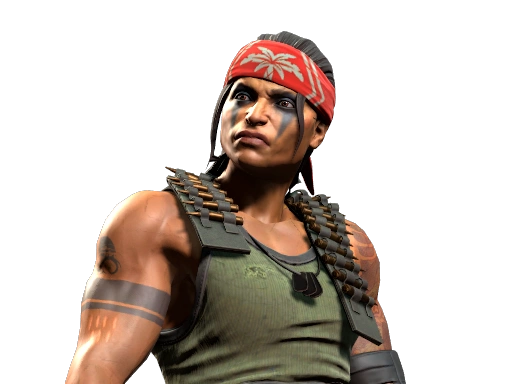
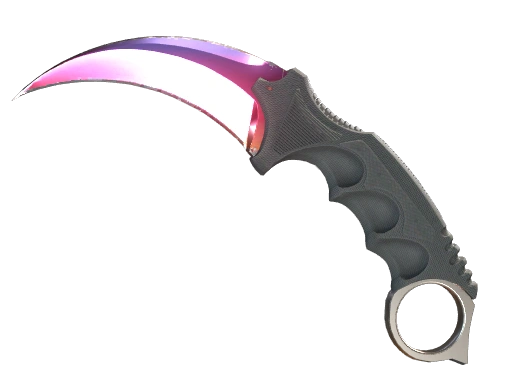
To get more value, use a high-liquidity platform like SkinsMonkey.com, where new users get a 35% deposit bonus when adding funds and trades are instant, handled by bots. By aligning your trades with these economic windows and using trusted trading sites, you ensure that every exchange moves you closer to elite items like Doppler knives or high-tier agents at the lowest possible cost.
In Conclusion
As you can see, knowing how and when to trade CS2 skins makes a real difference to the value you get from every trade.
If you enjoyed this article, make sure to check out the rest of our blog, where we regularly post more tips, tricks, CS2 news, and even allow you to get free CS2 skins!
Was this article helpful?One tap. It tells us what to update first.
Thanks, noted. Alex reads these before every update.